
Most community managers will tell you that you need a complex Discord bot, a twenty-page wiki, and a scripted welcome ceremony to keep people from leaving. It’s a load of garbage. I’ve watched dozens of servers die because they spent more time configuring “onboarding” automation than actually playing the game. When I was running my 200-player survival server, I realized that most advice on how to onboard new players is written by people who haven’t actually logged into a live environment in years. They focus on the fluff instead of the friction, leaving new joins to wander around a spawn point feeling completely lost and useless.
I’m not going to give you a theoretical lecture or a list of expensive plugins you don’t need. I’m going to show you the exact, stripped-back framework I used to keep my player count stable through four major version updates. This is the stuff I actually tested while managing real people in real-time, focusing on minimalist mechanics that get players into the gameplay loop within five minutes. If it didn’t work on my server, I’m not writing about it.
Table of Contents
Mastering First Time User Experience Ux in the Trenches

Most people approach gameplay tutorial design like they’re writing a textbook, but that’s the fastest way to kill your server’s momentum. When I was managing my 200-player survival instance, I realized that players don’t want a lecture; they want to do things. If you force them into a twenty-minute scripted sequence of clicking signs, they’re going to alt-f4 before they even see a mob. I learned the hard way that effective first-time user experience UX is about giving them a goal, not a manual.
I stopped trying to explain every mechanic and started focusing on onboarding flow optimization through immediate, actionable tasks. Instead of a wall of text, I set up spawn points that funneled players directly into a basic resource loop. This shift was the only thing that actually worked for reducing player churn during the first ten minutes of a session. You have to stop treating your players like students and start treating them like users who are already halfway out the door.
Gameplay Tutorial Design That Actually Sticks
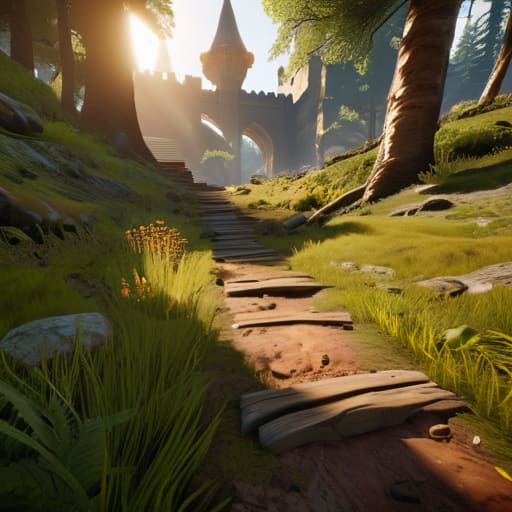
Most people think a tutorial is just a series of pop-up windows telling you which button to press. If that’s what you’re doing, you’re just building a chore, not a game. I’ve seen too many servers die in the first ten minutes because the gameplay tutorial design felt like reading a manual instead of playing. When I was managing my 200-player survival world, I realized that if a player has to stop moving to read a paragraph of text, you’ve already lost them.
The trick is to bake the mechanics into the environment itself. Instead of a text box saying “Press E to open inventory,” I set up spawns where the only way to progress is to interact with a chest or a tool. This kind of organic onboarding flow optimization keeps the momentum high. You want to trigger initial player engagement by giving them a small, immediate win—like crafting their first wooden pickaxe—rather than overwhelming them with a massive list of commands. If they aren’t doing something active within thirty seconds, they’re going to alt-f4.
Five Things I Learned While My Server Population Was Crashing
- Stop using wall-of-text tutorials. I used to paste massive lore documents into the chat for new players, and they just ignored them. Now, I only use environmental cues—like a single torch leading to a chest—to guide them. If they have to read more than one sentence to understand what to do, you’ve already lost them.
- Kill the “God Item” at spawn. I made the mistake of giving new players enchanted gear to “help” them, but it just broke my server’s progression loop within two days. You need to gate the good stuff behind actual gameplay, or they won’t respect the mechanics of the version you’re running.
- Implement a “Fail-Safe” zone. When I was running my 200-player survival world, I realized players quit the moment they lost everything in their first ten minutes. I built a small, resource-rich starter area where death doesn’t result in a total wipe. It keeps them in the game long enough to actually learn the controls.
- Test your onboarding on a vanilla client. I see too many guides suggesting UI tweaks that require specific resource packs. I don’t use texture packs, and half my players won’t either. If your onboarding process relies on a custom UI to be legible, it’s a bad design. It has to work with the raw, default assets.
- Limit the initial command set. New players get overwhelmed when they see a `/help` menu with fifty different administrative or utility commands. I strip the permissions down to the absolute bare minimum for the first hour of play. Let them earn the complexity; don’t dump it on them the second they log in.
The Bottom Line
Stop relying on walls of text; if a player has to read a manual to figure out how to punch a tree, your onboarding has already failed.
Test your progression loops on the live version, not some outdated wiki, because one patch can turn a smooth tutorial into a progression dead end.
Minimize friction by giving players immediate, tangible agency instead of forcing them through long, unskippable cinematic sequences that they’ll just click through anyway.
The Bottom Line
At the end of the day, onboarding isn’t about writing a massive manual or forcing players through a scripted sequence they’ll just skip anyway. I’ve seen too many servers die because they tried to explain every mechanic before a player even swung a sword. You have to focus on the immediate feedback loop—getting them into the gameplay loop, letting them fail safely, and ensuring the UI doesn’t get in the way of their first real win. If you can’t get a player from “spawn” to “feeling capable” within the first ten minutes, you’ve already lost them to a different server. Keep your systems lean, tested, and intuitive.
Building a community is hard enough without fighting your own interface. I spent years tweaking my own server settings just to make sure the friction was low enough that people actually stayed. Don’t aim for perfection on day one; aim for clarity. If you build a foundation that respects the player’s time and intelligence, they won’t just play your game—they’ll actually learn to master it. Stop overcomplicating the tutorial and just let them play.
Frequently Asked Questions
How do I stop players from quitting the moment they realize the survival grind is actually hard?
You have to bridge the gap between “cool idea” and “unbearable chore.” Most people quit because they hit a resource wall before they feel a sense of agency. I stopped this on my server by implementing “micro-milestones.” Don’t just tell them to survive; give them a specific, achievable goal—like a dedicated storage room or a basic iron setup—within the first twenty minutes. If they don’t feel progress, they’ll just alt-f4.
What’s the best way to handle technical setup issues without a dedicated support team?
You can’t afford a support desk, so you have to automate the troubleshooting. I stopped answering individual Discord pings and started building a “Known Issues” wiki that actually updates. If a player hits a technical wall, I point them to a specific, searchable list of fixes I’ve already verified. If it isn’t in the docs, it doesn’t exist. It’s blunt, but it keeps me from spending my entire night debugging someone else’s driver issues.
How do I balance giving enough direction so they don't get lost, without making the game feel like a guided tour?
I stopped using waypoints and massive text walls on my server months ago. If you’re spoon-feeding players, you’ve already lost them. I use environmental cues instead. If they need to find a specific biome or structure, I don’t give them coordinates; I place a single, non-obvious landmark or a trail of specific blocks. It turns a “guided tour” into a scavenger hunt. They feel like they discovered it, which is the only way they’ll actually stay.
