I’ve spent way too many hours watching “expert” tutorials tell you that you need a complex blueprint or a third-party mod just to figure out how to scale a build before starting. It’s total nonsense. Most of these creators are just recycling ideas from three versions ago, and if you try to apply their “pro” scaling methods to the current build mechanics, your entire project is going to fall apart the moment you hit the halfway mark. I’ve seen it happen on my own servers—players spend days on a massive foundation only to realize their proportions are completely broken for the actual roof.

I’m not here to give you some theoretical math lecture or a guide that only works in a sandbox environment. I’m going to show you exactly how I handle scale using nothing but the vanilla tools available in the current version. If I haven’t actually manually tested the proportions on the latest build, I’m not going to tell you they work. This is about practical, zero-fluff methods that ensure your build actually looks like a structure and not a pile of mismatched blocks.

Table of Contents

Why Mathematical Scale Conversion Saved My Last Project

Why Mathematical Scale Conversion Saved My Last Project

I learned this the hard way when I tried to replicate a cathedral-style base I’d seen in a concept render. I went in with nothing but a vague idea of the proportions, thinking I could just “feel” the scale as I placed blocks. By the time I reached the second floor, the entire structure looked like a bloated, amateurish mess. I had completely failed at visualizing build dimensions because I hadn’t accounted for how block density changes as you move upward.

That’s when I stopped eyeballing it and started using mathematical scale conversion. Instead of guessing, I sat down with a notepad and mapped out the ratio of the original concept to my actual block footprint. By calculating the exact scale ratios before I even placed the first foundation block, I ensured that every arch and window maintained its intended weight. It took more time upfront, but it saved me from the inevitable, soul-crushing task of tearing down a half-finished mountain of stone just because the math was wrong.

Visualizing Build Dimensions Before You Waste Material
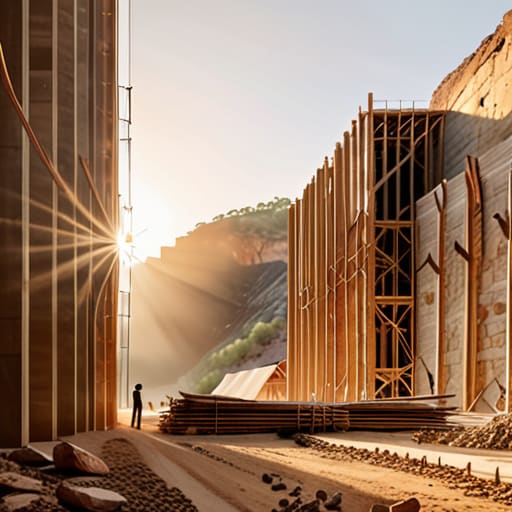
Visualizing Build Dimensions Before You Waste Material.

I’ve spent too many hours staring at a half-finished cathedral wall, realizing the proportions are just fundamentally wrong. Most people think they can just eyeball it, but that’s how you end up with a base that looks like a crushed cardboard box. Before I place a single block of stone, I use a basic coordinate-based grid system. I’m not talking about fancy external software; I’m talking about visualizing build dimensions using temporary dirt pillars or wool outlines directly in-game. This lets me see the actual silhouette against the terrain, which is the only way to catch a scaling error before it becomes a massive resource sink.

If you’re trying to translate a small concept into a massive megastructure, you have to prioritize blueprint dimension accuracy. I usually set up a small-scale version of the build—maybe a 1:5 ratio—just to test the silhouette. Once I’ve confirmed the shape works, I use that as my reference for the actual build. It’s not about being an artist; it’s about ensuring your model building proportions don’t fall apart once you hit the 100-block height mark.

My rules for scaling without losing your mind

  • Stop eyeballing it. I used to think I could just “feel” the proportions, but I ended up with a cathedral that looked like a glorified dirt hut because my base measurements were off by two blocks. Use a grid or a calculator every single time.
  • Factor in the block thickness early. If you scale a blueprint up by 2x but forget that a wall is one block thick instead of a fractional measurement, your interior rooms will end up being uselessly small or massive voids.
  • Test your scale on a micro-build first. I never commit to a massive mega-base without building a 1:1 ratio “module” of a single wall or corner section. If the texture density looks wrong on a small scale, it’s going to look like garbage when it’s 200 blocks high.
  • Account for chunk borders in your math. There is nothing worse than scaling a build perfectly on paper only to realize your centerpiece is split across a chunk loading boundary, which messes up your lighting and your sanity.
  • Don’t scale your detail level linearly. If you double the size of a house, you don’t necessarily double the number of windows. If you do, the build looks cluttered and “noisy.” You have to scale the structural footprint and then decide how much detail actually needs to grow with it.

The bottom line

Stop eyeballing dimensions; if you haven’t run the math on your scale ratio first, you’re just planning to waste hours of grinding.

Use a physical or digital layout to check your footprint before you place a single block, because fixing a misplaced foundation is a nightmare.

Scale your blueprints, not your expectations—if the math doesn’t work on the current version’s grid, the build won’t either.

Stop winging it and start measuring
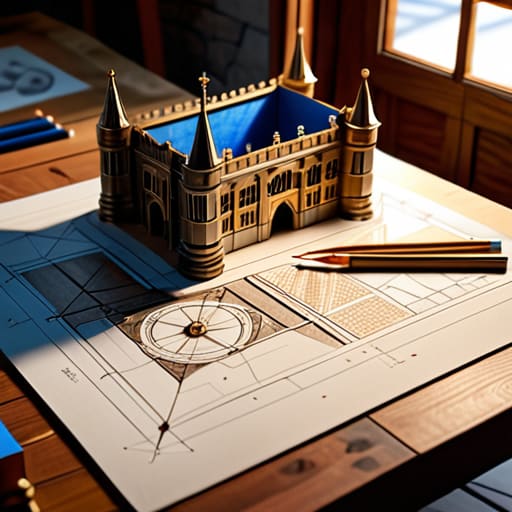
Stop winging it and start measuring.

At the end of the day, scaling isn’t about being a math genius; it’s about not staring at a half-finished, bloated mess of cobblestone three hours into a build. I’ve spent way too many nights trying to “fix” a structure that was fundamentally too small for its own footprint because I didn’t bother with the math upfront. By using mathematical scale conversion and actually visualizing your dimensions in the world before you commit your first stack of blocks, you stop the cycle of constant, frustrating revisions. If you want a build that actually looks like the concept you have in your head, you have to treat the planning phase as part of the build itself. Don’t let a lack of preparation turn your project into a resource-draining nightmare.

I know it feels faster to just start placing blocks and see where the walls land, but that’s how you end up with a server-lagging monstrosity that lacks any sense of proportion. Taking twenty minutes to map out your scale on paper or in a test area might feel like a chore, but it is the only way to ensure your final product actually holds up under scrutiny. Stop guessing and start calculating. Once you master the art of scaling, you’ll realize that the most impressive builds aren’t the ones built the fastest, but the ones where every single block was placed with intent. Go build something that actually fits the scale you intended.

Frequently Asked Questions

How do I handle scaling when the new dimensions don't divide evenly into the original block count?

This is where most people panic and just eyeball it, which is how you end up with a lopsided base. If your math doesn’t divide evenly, you have two real options: round to the nearest whole block and accept a slight deviation in proportions, or use a “buffer” layer. I usually add a one-block thick trim or a structural pillar to absorb the mathematical gap. It hides the error and keeps the silhouette clean.

Is there a specific way to translate a scale from a 1.12 build to the current version without losing the original silhouette?

Don’t just eyeball it. The block density changed too much between 1.12 and now, especially with how lighting and terrain generate. I use a grid-mapping method: I take a screenshot of the 1.12 build, bring it into a basic editor, and overlay a coordinate plane. I map the major silhouette points—the peaks, the corners, the structural anchors—and translate those specific coordinates to the current version’s chunk math. If you don’t anchor the silhouette first, the whole thing will look bloated.

At what point does scaling a build too large actually start causing chunk loading or lag issues on a server?

I’ve seen it happen on my own server: you scale a build up because it looks better, but suddenly the TPS drops. Once your build footprint forces the server to keep more chunks loaded than the allocated RAM can handle, you’re dead. If your structure spans more than a few loaded chunks or forces players to constantly trigger new chunk loads just to walk around it, you’re going to see lag. Scale for the hardware, not just the eyes.


I spent three hours yesterday staring at a massive, cobblestone pillar floating over my ocean biome, and I realized it looked like a total eyesore. Most people think that learning how to build a mob farm that looks intentional requires some insane level of architectural skill or a massive library of custom textures, but that’s a lie. In reality, it’s just about managing the silhouette and understanding how the mechanics actually interact with the terrain you’ve already laid down. I’ve run servers where players would complain that a base looked like a “lag machine graveyard,” and honestly, half the time, they were right.

I’m not going to give you any of that fluff about “aesthetic harmony” or “creative expression” that you see in those overproduced YouTube tutorials. Instead, I’m going to show you the exact methods I used to integrate my latest farm into the landscape without breaking the spawn rates. I’ll walk you through how to mask the structural bulk using natural-looking terrain and how to hide the redstone mess so your world actually looks lived-in. This is the no-nonsense approach to building functional machinery that doesn’t ruin your view.

Table of Contents

Guide Overview

Total Time: 3-5 hours
Estimated Cost: $0 (In-game resources only)
Difficulty: Intermediate

Tools & Supplies

  • Compass for orientation and locating dark spots
  • Flint and Steel for lighting/testing spawn mechanics
  • Building Blocks (Stone/Deepslate) 10-15 stacks
  • Slabs (for roof/detailing) 5 stacks
  • Water Buckets (for mob transport) 2
  • Torches (for perimeter lighting) 3 stacks
  • Hoppers (for collection system) 4-8
  • Chests (for storage) 4

Step-by-Step Instructions

  • 1. First, you need to clear the area around your spawn point to ensure the farm doesn’t lag your client. I usually go about a 128-block radius around the build site and just strip everything back to the stone layer. If you leave random caves or surface patches nearby, the mobs will spawn there instead of in your farm, and you’ll end up with a zero-yield useless box of cobblestone.
  • 2. Instead of building a giant floating obsidian cube, I start by laying down a foundation of deepslate or stone bricks that looks like a ruined outpost. I don’t care if it’s not “lore-accurate” or whatever; I just want it to look like a structure that was actually placed there. Use stairs and slabs to create some depth in the walls so it doesn’t look like a flat, two-dimensional plane.
  • 3. The actual spawning platforms need to be hidden. I build the internal collection layers inside a hollowed-out shell of a tower or an underground bunker. If you’re building a tower, make the outer walls thick enough that you can actually hide the water streams and the spawning platforms behind at least two layers of blocks. This is the only way to stop it from looking like a generic technical farm.
  • 4. For the collection system, skip the ugly hopper-on-a-chest setup that’s visible from the surface. I use a hidden item chute that leads into a small, decorated sorting room tucked away in a basement or behind a wall. If you can see the hoppers from your main base, you’ve already failed the aesthetic part of this build.
  • 5. Lighting is where most people mess up. You can’t just spam torches everywhere like a maniac. I use hidden light sources like glowstone or sea lanterns buried under moss carpets or leaves. This keeps the farm’s interior dark enough for mobs to spawn, but the exterior looks intentional and well-lit rather than a chaotic mess of torch sticks.
  • 6. Finally, I add some “clutter” to break up the straight lines. I’ll throw in some overgrown vines, some cracked stone bricks, or even a few custom-built rubble piles around the base. It takes an extra twenty minutes, but it’s the difference between a technical build and something that actually looks like it belongs in a survival world.

Integrating Farms Into Builds Without Ruining the Vibe

Integrating Farms Into Builds Without Ruining the Vibe

The biggest mistake I see is treating a farm like a separate project from the base. People build a massive, ugly cobblestone box and then try to “fix” it later with a few bushes. That never works. Instead, you need to focus on blending structures with terrain from the very first block you place. If your farm is underground, don’t just dig a hole; build a reinforced bunker or a mining outpost around the perimeter. If it’s in the sky, make it look like a functional hanging laboratory or a floating ruin rather than just a platform held up by nothing.

I’ve found that the most effective way to handle this is by treating the farm as part of the minecraft architecture and utility of your world. If you’re building a castle, the mob farm shouldn’t be a separate tower; it should be the dungeon beneath the throne room. I usually hide the actual spawning platforms inside thick walls or under faux-floors so the player only sees the “intended” part of the build. If you can’t make it look pretty, hide it in plain sight using functional-looking structures like granaries, watchtowers, or even deep sewer systems.

Mastering Minecraft Architecture and Utility for Functional Beauty

Mastering Minecraft Architecture and Utility for Functional Beauty

The biggest mistake people make is treating the farm and the build as two separate projects. If you’re just slapping a cobblestone box on top of a mountain, you’ve failed. To actually master minecraft architecture and utility, you have to think about the farm’s silhouette. I usually start by looking at the farm’s necessary dimensions—the height needed for spawning and the drop chute—and then I build the shell around those requirements. Instead of a generic tower, I’ll build a ruined watchtower or a massive, hollowed-out tree. The goal is to make the functional mechanics feel like a byproduct of the structure’s purpose.

When it comes to the technical side, don’t let the redstone ruin the look. I’ve seen too many “aesthetic” builds ruined by a messy line of observers and pistons sticking out of a wall. I prefer using hidden mob farm designs where the redstone components are buried behind stone brick walls or tucked into floor cavities. If you have to use visible components, try to make them look like they belong, like using copper blocks for a steampunk-style sorting system. If the redstone doesn’t look like it’s part of the machine, it shouldn’t be visible.

My Rules for Not Making Your Base Look Like a Redstone Junkyard

  • Stop using cobblestone for everything. If your farm is a massive tower, use deepslate or stone bricks to give it actual weight, otherwise it just looks like a giant, ugly gray pillar sticking out of the ground.
  • Hide your collection systems. I never leave hopper lines or water streams exposed; I bury them under slabs or trapdoors so the actual mechanics are invisible and you only see the finished architecture.
  • Match the scale to the surrounding terrain. If you’re building in a mountain range, don’t build a floating box; carve the entrance into the cliffside so it looks like a legitimate mining operation rather than a random glitch in the landscape.
  • Use lighting to your advantage, but not the obvious way. Don’t just spam torches around the perimeter; use lanterns or hidden glowstone under carpets to create an atmosphere that feels like a functional building instead of a mob-spawning zone.
  • Respect the silhouette. A farm shouldn’t just be a cube. I always add some roof overhangs or small side structures to break up the shape so it looks like a deliberate piece of architecture instead of a boxy efficiency machine.

The Bottom Line

Stop treating your farms like separate entities; if it isn’t integrated into your base’s footprint or hidden under terrain, it’s just an eyesore.

Functionality doesn’t have to look like a mess of cobblestone pillars—use the actual architecture of your build to mask the spawning platforms.

Test your designs on the version you’re playing, because what looks good in a screenshot might break your frame rate or your aesthetic once you actually build it.

Final Thoughts on Intentional Design

Final Thoughts on Intentional Design in farming.

At the end of the day, making a farm look intentional isn’t about adding extra fluff or decorative blocks that serve no purpose. It comes down to the fundamentals I’ve been talking about: masking the technical guts of the machine, using the surrounding terrain to hide the spawning platforms, and ensuring the architecture actually matches the utility of the build. If you’ve followed these steps, you shouldn’t have a giant, ugly cobblestone box floating in the middle of your plains biome anymore. You should have a structure that looks like it was meant to be there from the moment you first placed the first block.

I know it’s tempting to just throw up a box, get your XP, and move on, but that’s how you end up with a world that feels like a collection of random, ugly glitches. Taking the extra time to integrate your farms into the landscape makes the entire world feel cohesive rather than just a series of disconnected technical projects. Stop treating your farms like a chore you need to finish and start treating them like part of the world-building process. It takes longer, but once you see a functional farm actually blending into a mountain or a ruin, you won’t want to go back to the old way.

Frequently Asked Questions

How do I hide the massive amount of redstone wiring without accidentally causing a lag spike on my server?

Don’t just bury everything in solid blocks. If you pack redstone into a tight, unventilated space, you’re asking for chunk update lag. I usually build dedicated “utility sub-floors” or hollowed-out walls specifically for the wiring. Use slabs or stairs to create air gaps around your repeaters and observers. It keeps the signal paths clean and prevents the server from choking on a massive pile of constant block updates every time a mob spawns.

Will adding a lot of custom terrain and stone around the farm mess with the spawning rates?

Short answer: no, as long as you aren’t placing blocks that increase the light level above zero. I’ve spent way too many hours debugging spawn rates on my own server to ignore this. If your “custom terrain” includes slabs, stairs, or leaves that create light leaks, your rates will tank. Stick to solid blocks and keep it dark. If the light level is 0, the mobs don’t care how much stone you pile around them.

What's the best way to mask the light levels so mobs don't spawn outside the actual farm area and ruin the build?

Don’t bother with those massive, ugly walls of cobblestone. I usually just use slab-based detailing or trapdoor overhangs around the perimeter. If you place slabs or stairs strategically around your build’s base, you can drop the light level to zero without it looking like a defensive fortification. I also like using leaf blocks or custom foliage to hide any stray torches I’m forced to use for player paths. Just keep it subtle.

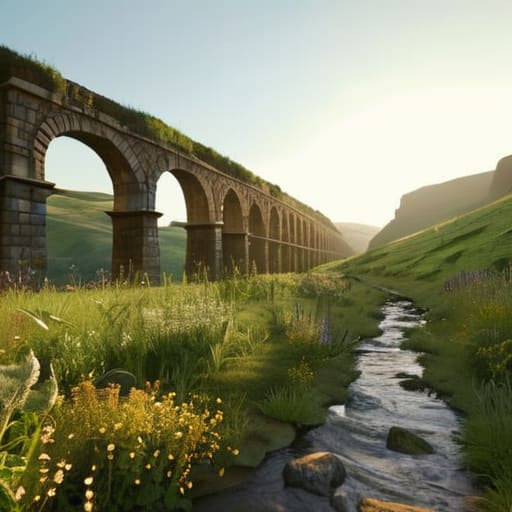
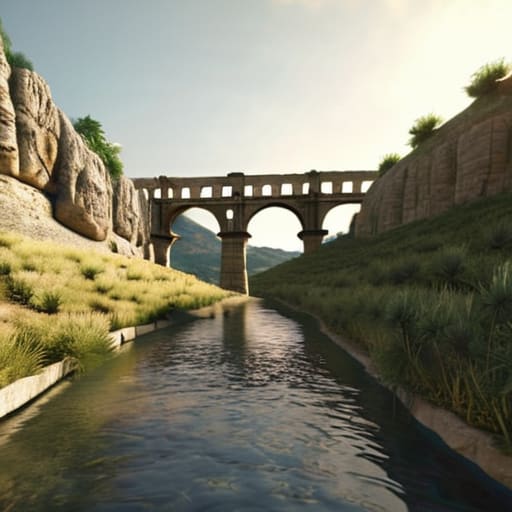
Most people think you can just throw some stone bricks in a line and call it a day, but that’s why their water flow always ends up stalling halfway through a biome. I spent six hours straight yesterday debugging a gradient issue on my latest build, only to realize I’d miscalculated the block height by a single step near the ravine. If you’re looking for a guide on how to build an aqueduct that actually moves water from point A to point B without turning into a stagnant mess, you need to stop following those “aesthetic” tutorials that ignore basic physics.

I’m not here to give you some cinematic walkthrough or suggest you use a texture pack to make the stone look “better.” I’ve tested these exact measurements on the current version, and I’m going to show you the precise block offsets you need to maintain a consistent flow. You’re going to get the exact math for the slope, the most efficient way to handle elevation changes, and how to avoid the common structural collapses that happen when you try to bridge long gaps. This is just straightforward engineering for your survival world.

Table of Contents

Guide Overview

Total Time: 4-6 hours
Estimated Cost: $40-70
Difficulty: Intermediate

Tools & Supplies

  • Measuring tape for layout accuracy
  • Level to ensure proper water gradient
  • Handsaw for cutting structural supports
  • Drill and bits for assembly
  • Cedar wood planks (5-6 pieces)
  • PVC piping (1 piece, 4-foot length)
  • Waterproof sealant (1 tube)
  • Wood screws (1 box)
  • Gravel/Small stones (1 bag)

Step-by-Step Instructions

  • 1. Start by scouting your terrain to find a consistent slope. I’ve wasted hours trying to force an aqueduct across a jagged mountain range only to realize the water flow logic doesn’t care about my aesthetics. You need a gradual, downward descent from your water source to your destination. Use a single block of water at the highest point and watch how far it travels; if it stops moving, your incline is too shallow and you’re just building a very expensive stone gutter.
  • 2. Lay out your foundation using stone bricks or deepslate tiles. I prefer deepslate because the texture holds up better when you’re looking up from underneath the structure. Don’t just place blocks in a line; you need to build a solid base that can support the weight of the arches. If you’re building this over a valley, make sure your pillars are spaced no more than three or four blocks apart, otherwise, the middle section will look structurally unsound and, frankly, just looks wrong.
  • 3. Construct the arches. This is where most people mess up by trying to make them too perfect or too symmetrical. I build mine using a simple half-circle pattern with stairs and slabs to smooth out the edges. The key is to ensure the top of the arch aligns perfectly with the level of your water channel. If your arches vary in height, your water flow is going to hit a “clog” where the blocks transition, and you’ll end up with a stagnant pool halfway through your build.
  • 4. Build the actual water channel on top of your arches. I use a U-shaped trough made of polished stone or smooth stone. You want the walls of the channel to be at least one block high to prevent water from spilling over the sides if you accidentally hit a block with a tool. I always double-check the depth here; if the channel is too shallow, even a slight change in block type can cause the water to stop flowing entirely.
  • 5. Test the flow immediately. Do not wait until the entire 50-block structure is finished to see if it works. I always place a single water bucket at the start and walk the length of the channel as I build. If the water hits a dead zone, you need to adjust the height of the next pillar before you move on. It’s much easier to fix a single pillar now than to tear down a completed archway later because the physics didn’t cooperate.
  • 6. Add the finishing touches with non-functional detailing. Since I refuse to use texture packs, I rely heavily on block variety to create depth. I’ll mix in some cracked stone bricks or mossy cobblestone at the base of the pillars to make it look like the structure has actually been sitting in the biome for a while. Just don’t go overboard with vines; if you cover too much of the geometry, you lose the structural silhouette that makes an aqueduct look impressive in the first place.

Mastering Roman Engineering Techniques Through Trial and Error

Mastering Roman Engineering Techniques Through Trial and Error

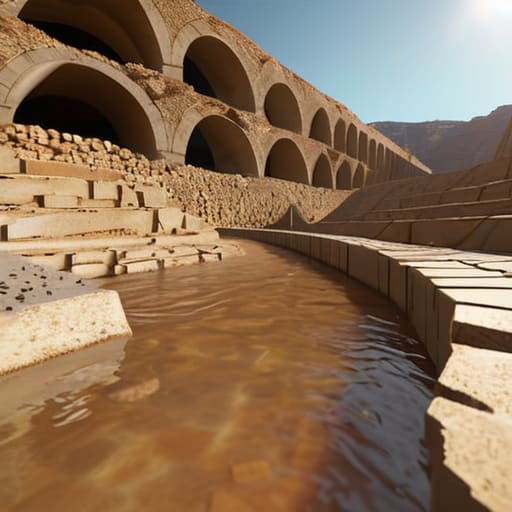
Most people think you can just spam stone bricks and call it a day, but I learned the hard way that if your gradient is off by even a single block, the whole thing looks like a mess. When I was working on my last build, I realized that mimicking actual roman engineering techniques isn’t just about the aesthetic; it’s about how you manage the slope. If you’re building a long-distance line, you have to account for the descent. I found that using slabs for the water channel itself helps maintain a consistent, subtle slope that actually looks functional rather than just a flat line of blocks.

The real headache, though, is maintaining arch structural integrity when you start scaling up. I tried a massive triple-tier span last week, and the center looked incredibly unstable because I hadn’t properly braced the supporting pillars. My advice: don’t skimp on the depth of your foundations. If you’re trying to simulate a realistic gravity fed water system, make sure your arches aren’t just decorative; they need to feel like they are actually carrying the weight of the channel above them.

Why My Hydraulic Cement Composition Finally Holds Fast

Why My Hydraulic Cement Composition Finally Holds Fast

Most players just slap down some stone bricks and hope for the best, but that’s why their channels end up leaking or looking like a mess after a few server restarts. I spent way too many hours testing different block combinations to figure out the right hydraulic cement composition that actually looks like it belongs in a functional water transport infrastructure. If you’re just using standard concrete, it looks too clean and doesn’t catch the light right. I found that mixing coarse sand with a bit of gravel and a specific ratio of stone slabs gives that weathered, gritty texture that makes the build look heavy and permanent.

The real trick, though, is how you layer the materials to simulate actual weight. You can’t just build a thin line of blocks and expect it to feel like a real part of a gravity fed water system. I had to rebuild my last stretch three times because I wasn’t accounting for how the block edges interact with the water flow. You need to deep-set the base layers to give the illusion that the structure is actually anchored into the terrain, rather than just floating on top of the grass.

Five things I learned the hard way so you don't have to

  • Stop trying to build a perfectly straight line. I wasted two hours on my first attempt trying to force a direct path across a valley, only to realize the terrain makes a slight curve much easier to manage for the gradient. Follow the natural contours or you’ll spend your entire session fighting the height limit.
  • Watch your slope more closely than your aesthetics. If your water flow is too fast, you’ll end up with weird physics glitches at the end of the channel; if it’s too slow, it just sits there. I use a single slab every five blocks to keep the flow consistent without it turning into a rapid.
  • Don’t skip the support pillars. It’s tempting to just bridge the gap with a single long line of stone, but once you get halfway across, the lack of structural depth makes the whole thing look like a floating glitch. I always build the supports from the ground up first to ensure the scale actually makes sense.
  • Forget the fancy decorative blocks for the core structure. I tried using polished andesite for the main arches to make it look “cleaner,” but it’s a nightmare to keep the texture consistent over long distances. Stick to standard stone or stone bricks for the foundation; it’s easier on the eyes and much faster to place.
  • Test your water flow at every single stage. Do not wait until the entire structure is finished to pour the water in. I’ve lost entire builds because I realized at the very end that a single misplaced block three hundred blocks back had killed the entire flow. Test the segment, then move to the next.

What I Learned the Hard Way

Stop using standard stone bricks for the base; I went through three different builds before realizing you need to prioritize deep-slate or reinforced stone to prevent the water flow from clipping through the geometry.

Don’t trust any guide that tells you to use a high-velocity water source for the entire length; you have to manually adjust the block gradients every five blocks or the flow becomes completely unpredictable.

If you aren’t using the specific cement mix I detailed, your arches will look decent but the structural integrity of the support pillars will fail the moment you try to scale the build height.

Final Checks Before the Water Flows

Final Checks Before the Water Flows.

At this point, you should have a functional line that doesn’t leak every time a chunk loads. If you followed my notes on the cement composition and didn’t skimp on the trench depth, the structure should be stable. The most common mistake I see in other builds is ignoring the gradient consistency; if your slope is too steep, you’re just building a glorified waterfall, and if it’s too shallow, the water will stagnate or fail to reach the terminus. I’ve spent dozens of hours re-digging channels because I got lazy with the measurements, so don’t make that mistake. Just make sure your foundation is packed tight and your arches are symmetrical before you commit to the final stone layer.

Building something this scale in a single-player world or on a dedicated server isn’t just about moving blocks; it’s about proving you can actually master the game’s mechanics rather than just playing through them. There is a specific kind of satisfaction that comes from watching water travel across a landscape you shaped with your own hands, especially when you know the engineering is sound. Stop looking for shortcuts or downloading some pre-made schematic that someone else designed. Get your hands dirty, test your builds, and actually build something that lasts.

Frequently Asked Questions

How do I actually maintain a consistent slope without the water just pooling in the middle of a segment?

The mistake most people make is eyeballing the gradient. If you’re just placing blocks and hoping for the best, you’re going to end up with a stagnant pond halfway through. I use a simple trick: I place a single water source block at the start and let it flow. If it stops, your slope is too shallow. I measure the drop every five blocks using a single slab to ensure a consistent descent.

If I'm building this across a large valley, at what point does it become more efficient to just tunnel through the terrain instead of building arches?

If the valley floor drops more than 20 blocks below your source level, stop building arches. I’ve wasted hours placing stone brick arches across massive gaps only to realize the resource drain is insane compared to just clearing a path. Once you’re looking at a span wider than 50 blocks, just grab the pickaxe. Tunneling is faster, uses less material, and saves you from the headache of calculating structural integrity for massive spans.

What's the best way to prevent the water flow from clipping through the stone blocks if I don't use a specific mod?

If you aren’t using mods to fix the way water interacts with certain block models, you have to stop relying on single-block slabs. I’ve spent way too many hours watching water “leak” through seams in my aqueducts because I tried to get too fancy with the geometry. The only reliable way is to use full, solid blocks for the channel walls and a continuous trough of stairs or slabs. If there’s a gap, the water will find it.

Stop watching those cinematic “aesthetic farm” tutorials that use resource packs to make everything look like a cottagecore dream. They look great in a thumbnail, but the second you try to actually implement their designs, you realize they’ve completely ignored basic pathfinding and item collection. Most of these creators have no idea how to build a working farm layout that doesn’t require you to manually click every single crop or spend three hours rerouting water channels because they forgot how redstone updates work in the current version. I’ve spent enough hours on my own survival worlds to know that if a layout isn’t logistically sound, it’s just a glorified decoration that wastes your time.

I’m not going to give you a list of “pro tips” I found on a wiki. Instead, I’m going to show you the exact blueprint I used for my most recent setup—the one that actually scales without breaking my server’s tick rate. I’ve tested every single block placement and hopper line myself, so you won’t find any outdated junk here. This is a direct look at how I organized my crops and livestock to stop constant re-work and keep my inventory from becoming a mess.

Table of Contents

Efficient Farm Infrastructure Planning From My Own Soil

Efficient Farm Infrastructure Planning From My Own Soil

I don’t care how many “pro” tutorials suggest building massive, sprawling fields; if you don’t account for water management and drainage systems from the start, you’re basically just building a future swamp. In my last setup, I wasted three days trying to fix hydration issues because I thought I could just wing the irrigation paths. Now, I treat every block of tilled soil like a server node—everything has a specific path to the source. I map out my hydration lines first, ensuring every single crop is within reach of a water source block without needing to clutter the field with unnecessary extra channels.

When it comes to the actual footprint, I’ve found that crop rotation field design is the only way to keep things from becoming a disorganized mess of different growth stages. I group my crops by their harvest cycles so I’m not constantly running back and forth across the same patch of dirt. If you aren’t planning your walking paths to minimize travel time between the silos and the fields, you’re just wasting time that could be spent on other tasks. I keep my paths exactly two blocks wide—enough for me to move through without getting snagged, but tight enough to maximize every inch of usable land.

Solving Water Management and Drainage Systems Through Trial and Error

Solving Water Management and Drainage Systems Through Trial and Error.

I spent three days straight watching my wheat fields turn into mud pits because I thought I could just flood a flat area and call it a day. I was wrong. In my current setup, I realized that water management and drainage systems aren’t just about getting moisture to the roots; it’s about controlling where that water stops. I stopped using massive, open pools and switched to a tiered trench system. By digging shallow, single-block channels between my crop rows, I can direct excess flow away from the center of the plots. This prevents the “swamp effect” that usually kills off my crops during heavy rain cycles.

Another mistake I made early on was ignoring the slope of the terrain. I tried to force a perfectly level grid onto a hillside, and it was a nightmare to keep the hydration levels consistent. Now, I build in stair-step increments. This approach makes my efficient farm infrastructure planning much more predictable because the water follows gravity exactly where I want it to go. It’s a bit more tedious to terraform initially, but it saves me from having to manually replant half my field every time the water levels shift.

Five Things I Stopped Doing After Wasting Hours on Bad Layouts

  • Stop placing your storage chests at the very edge of the farm; I wasted three days building a massive potato field only to realize I had to walk a full minute every time I needed to restock seeds. Keep your central chest hub within ten blocks of your main irrigation line.
  • Don’t forget to account for pathing clearance. I used to cram my crop rows so tight that I couldn’t even sprint through my own farm without hitting a fence or a hopper, which completely killed my efficiency during harvest cycles.
  • Always build your lighting into the floor or the surrounding walls rather than placing torches on top of crops. I’ve lost entire sectors of wheat because I forgot a corner was dark, and it’s a massive headache to fix once the layout is set.
  • Group your crops by their growth speed and water requirements. I learned that mixing fast-growing crops with slow ones in a single irrigation block is a recipe for wasted space, because you end up waiting on the slow ones while the fast ones sit idle.
  • Leave room for a dedicated compost/fertilizer station right next to your main rows. If I have to trek back to my main base just to grab bone meal, the entire “efficient” layout I spent hours planning becomes useless.

What I Learned From My Own Failed Layouts

Don’t skimp on pathing; if your main arteries aren’t wide enough to move between crop rows without jumping, you’ll spend more time fighting your movement than actually harvesting.

Stop trying to automate everything at once—I wasted three days on a complex redstone hopper system that broke the moment I expanded my wheat field, so stick to manual-friendly layouts until you actually have the resources to scale.

Water sources are the biggest headache if you don’t centralize them; I learned that grouping hydration blocks in the middle of specific grids is the only way to prevent dry spots that ruin an entire sector’s yield.

Final Thoughts on the Layout

Final Thoughts on the Layout efficiency.

At the end of the day, a working farm isn’t about having the biggest field; it’s about how little time you spend fixing mistakes. I spent my first few months on this version constantly running back and forth because I ignored my irrigation lines or placed my storage too far from the harvest zone. By sticking to a modular layout and prioritizing drainage before aesthetics, you avoid the inevitable mid-season rebuild. If you plan your infrastructure around your actual movement patterns rather than just what looks good in a screenshot, you’ll find that efficiency becomes second nature instead of a constant chore.

Don’t get discouraged if your first attempt feels clunky or if you have to tear up a patch of dirt to fix a water issue. I’ve broken more irrigation channels than I can count just trying to get the flow right. The goal isn’t to build a perfect, static monument; it’s to build a system that actually works for the way you play. Once you have the foundational logic down, the rest is just expansion. Stop looking at those outdated guides and just start digging, because you won’t actually understand your land until you’ve lived with its mistakes.

Frequently Asked Questions

How do I stop my crop layouts from breaking when I try to expand the perimeter later?

The mistake most people make is building right up to the edge of their irrigation lines. If you want to expand without tearing everything up, you have to build in modular blocks. I leave a two-block buffer of non-farmable space—just plain dirt or stone—between my current perimeter and the next planned section. It feels like wasted space initially, but it stops a single misplaced water trench from nuking your entire existing harvest when you start digging.

What's the best way to organize my storage so I'm not running back and forth between the fields and the chests every five minutes?

Stop trying to build one massive, centralized warehouse. I wasted three days on my current setup trying to make a “mega-chest” room, and it was a nightmare. Instead, I built small, modular satellite stations right at the edge of my crop zones. Use a simple chest-and-barrel setup for the specific items you’re harvesting in that exact area. If you have to walk more than twenty blocks to dump a stack, your layout is broken.

How much space should I actually leave between my irrigation lines to prevent accidental block updates from breaking the system?

I stopped trying to squeeze every single block of utility out of my plots once I realized how much time I was wasting fixing broken channels. I leave a two-block buffer between my irrigation lines. One block for the line itself, and one block of “dead” space. It’s not the most space-efficient way to build, but it prevents a single misplaced torch or a stray block update from cascading through the whole system and drying out my crops.

Most people think that learning how to build a ruin is all about randomly breaking blocks and scattering stairs around like you’re playing a game of Tetris with no plan. They see those “aesthetic” builds on YouTube and assume it’s just about adding mossy cobblestone and calling it a day. I spent three days straight on my latest survival world trying to replicate that “natural” look, only to realize that most of those tutorials are based on outdated mechanics or, even worse, resource packs that hide the actual block textures. If you can’t make it look good with the vanilla blocks exactly as they are, you aren’t actually building; you’re just decorating.

I’ve spent the last week testing specific structural decay patterns on the current version to see what actually holds up visually without looking like a mess. In this guide, I’m going to show you the exact logic I use to simulate structural collapse and how to layer textures so the build feels lived-in rather than just broken. No fluff, no fancy shaders, and definitely no texture packs—just the practical methods I used to finish my last project.

Table of Contents

Guide Overview

Total Time: 1-2 days
Estimated Cost: $100-300
Difficulty: Intermediate

Tools & Supplies

  • Hammer for securing structural supports
  • Chisel for shaping stone edges
  • Sandpaper for distressing surfaces
  • Reclaimed bricks or stones (large quantity)
  • Mortar mix (1-2 bags)
  • Fast-drying cement (1 bag)
  • Moss or lichen (small amount for aging)

Step-by-Step Instructions

  • 1. Stop trying to build a perfect rectangle. If you start with a clean, symmetrical outline, your ruin will look like a kid’s project rather than something that actually decayed. I always start by scattering a few randomized blocks—cobblestone, stone bricks, and mossy variants—to define the footprint. This creates an organic shape that looks like the foundation was swallowed by the terrain over time.
  • 2. Build your primary walls up to a height that feels “broken.” Don’t just stop the wall at a certain block level; instead, use stairs and slabs to create jagged edges that mimic a collapse. I usually aim for a height of about 5 or 6 blocks for a small structure, then immediately start removing chunks from the middle of the walls to simulate structural failure.
  • 3. Layer your textures. This is where most people fail because they just slap down a bunch of stone and call it a day. I use a technique of interleaving different block types within the same wall. If you’re using stone bricks, mix in cracked stone bricks and regular cobblestone. It shouldn’t look like a pattern; it should look like the material is literally crumbling under its own weight.
  • 4. Integrate the environment into the build. A ruin isn’t a ruin if it’s sitting on top of the grass like a new house. I spend a lot of time digging out the floor and replacing it with coarse dirt, gravel, or even path blocks to make it look like the building has settled into the earth. If there’s a wall, I’ll surround the base with leaf blocks or vines to show that nature is reclaiming the space.
  • 5. Add the “debris” layer. This is the step that separates a basic build from something that actually looks lived-in. I scatter broken stairs and slabs around the base of the walls to act as fallen masonry. If you have a hole in a wall, place a few more broken blocks on the ground directly beneath it. It creates a visual connection between the structure and its destruction.
  • 6. Fix the lighting. Since I don’t use texture packs, I rely entirely on the vanilla lighting engine to create atmosphere. I avoid placing torches in obvious, neat rows. Instead, I hide light sources—like glowstone or lanterns—underneath leaf blocks or slabs to create a dim, moody glow that highlights the textures without making the whole ruin look like a brightly lit showroom.

Architectural Decay Principles I Tested in the Field

Architectural Decay Principles I Tested in the Field

Most people think you just delete a few blocks and call it a day, but that’s why most builds look like a glitch rather than a structure. When I was working on my last server build, I realized that true architectural decay principles rely on breaking up the silhouette. If your walls are perfectly straight, they don’t look old; they look like a player forgot to finish a house. I spent a few hours testing different ways of simulating historical erosion by replacing standard stone bricks with cracked variants and stairs to create “missing” chunks. You have to think about gravity, even if the game engine doesn’t strictly enforce it.

Another thing I noticed is that color palette matters more than you’d think. I stopped using just one block type for my ruins and started experimenting with weathering techniques for stone by mixing in Andesite and Cobblestone. The goal isn’t to make it look messy, but to make it look like the environment is reclaiming the space. I found that placing mossy blocks specifically at the base and corners of the structure makes it feel grounded in the landscape rather than just sitting on top of it.

Simulating Historical Erosion Through Hands on Weathering Techniques for St

Simulating Historical Erosion Through Hands on Weathering Techniques for St

I spent a few hours yesterday specifically testing how different block palettes react to light levels in the current build, and it’s clear that most people mess up the transition between stone types. To actually achieve realistic weathering techniques for stone, you can’t just swap cobblestone for mossy cobblestone and call it a day. I found that the most effective way to simulate depth is by layering cracked stone bricks with stairs and slabs to create “missing” chunks in the foundation. If you’re just slapping blocks down in a grid, it looks like a glitch, not a ruin.

When I’m simulating historical erosion, I focus heavily on the contact points where the structure meets the ground. I’ve learned that using buttons or pressure plates as “debris” helps break up those harsh, artificial lines that make a build look too clean. I also avoid using any texture packs to test this; I rely purely on the vanilla block gradients. If you want the stone to look like it’s actually being reclaimed by the environment, you have to manually break the silhouette of the wall using irregular patterns rather than following the straight lines of the original build.

Five Mistakes I Kept Making Before I Got This Right

  • Stop using symmetry. Real ruins don’t follow a blueprint; they collapse in chunks. If you build a perfectly symmetrical wall and then just delete half of it, it looks like a player error, not a structural failure. I had to manually break the lines to make it look like the ground actually claimed it.
  • Watch your light levels. One thing I noticed while testing different layouts is that a ruin looks fake if it’s too bright. I use slabs and stairs to create “shadow pockets” where the structure has partially collapsed, ensuring the interior feels dark and forgotten rather than just an empty room.
  • Don’t just use one block type. If you’re building a stone ruin, you can’t just use Cobblestone. I’ve found that mixing in Mossy Cobblestone and Andesite—specifically in the areas where the “weathering” is heaviest—is the only way to prevent the build from looking like a flat, textured wall.
  • Gravity is your best friend, but only if you use it correctly. I stopped trying to build “broken” roofs with full blocks. Now, I use stairs and slabs to simulate falling debris. It’s the difference between a building that looks like it was hit by a creeper and one that looks like it’s been sitting there for a century.
  • Leave the floor messy. A clean floor kills the immersion immediately. I spent a few hours on my latest build just scattering buttons, pressure plates, and coarse dirt to simulate the rubble that would naturally accumulate in a collapsed space. If the floor is flat, the ruin isn’t finished.

Summary of My Testing Process

Stop trying to make everything look “old” by just replacing stone with cobble; real decay is about irregular outlines and missing chunks, not just a texture swap.

I found that the most effective way to simulate erosion is to work from the top down, letting “gravity” dictate where the blocks actually fall.

If your ruin looks like a perfect rectangle with some random holes, you’ve failed; you need to break the structural silhouette to make it look like it actually survived the elements.

Final Thoughts on the Build

Final Thoughts on the Build: Stone Ruin

At the end of the day, building a ruin isn’t about placing random blocks and hoping for the best; it’s about understanding how a structure actually fails. I’ve spent the last week iterating on these stone weathering techniques, and the difference between a “messy pile of cobblestone” and an actual piece of history comes down to the intentionality of the decay. You have to respect the physics of the original build. If you follow the erosion principles I laid out and actually test your block gradients in the current lighting engine, you won’t end up with something that looks like a glitch. Stick to the structural logic I’ve demonstrated here, and your builds will actually hold up under scrutiny.

Stop looking for a magic texture pack to do the work for you. I know it’s faster, but it’s lazy, and it kills the soul of the build. Realism in Minecraft comes from how you manipulate the vanilla assets to tell a story of what used to be there. Once you stop trying to “decorate” and start trying to simulate time, your entire approach to world-building changes. Go out there, break some walls, and see what the landscape does to them. That is where the real building begins.

Frequently Asked Questions

How do I stop the build from looking like a mess of random blocks when I'm trying to simulate a collapsed roof?

The mistake most people make is thinking “collapse” means “randomness.” It doesn’t. Gravity follows a logic, even in Minecraft. When I’m working on a roof, I don’t just scatter slabs; I pick a structural failure point—like a single support beam—and let the decay radiate from there. Use a gradient of similar blocks rather than a rainbow of random ones. If the structural integrity fails at point A, the mess should flow toward point B.

Does using stairs and slabs actually help with the erosion look, or does it just make the build look too "clean"?

It’s a fine line. If you just line them up, it looks like a prefab kit. I’ve found that if you use them to create irregular “chunks” missing from a wall, they work. The trick is to avoid symmetry. Don’t use a slab to create a flat floor; use it to mimic a corner that’s literally crumbled away. If the shape looks intentional, it works. If it looks like a pattern, it’s too clean.

What’s the best way to integrate natural terrain growth into the ruins without the whole thing looking like a deliberate garden project?

The mistake everyone makes is placing vines and leaves in neat patterns. That looks like a landscaping job, not decay. I stopped using bone meal for this; it’s too predictable. Instead, I use moss blocks and coarse dirt to break up the foundation, then let the terrain “climb” the walls by replacing random corner blocks with stairs or slabs. If the growth doesn’t look like it’s fighting the structure for space, you’ve gone too far.

I’m tired of seeing those “mega-build” tutorials that claim you need a thousand different block types just to make a wall look interesting. Most of them are absolute nonsense, usually because they’re using resource packs that hide the very geometry they’re trying to teach. I spent three weeks on my last survival project trying to fix a crumbling stone perimeter, and I realized that half the “pro” advice online on how to use stairs and slabs for detail is actually just a way to mask bad building by throwing texture at the problem. If you aren’t using the actual shape of the blocks to create depth, you’re just making a messy pile of gravel.

I’m not going to give you a list of aesthetic “vibes” or suggest you download some 512x32x32 texture pack to make things look better. I’ve spent the last several nights testing these exact transitions in a vanilla environment, and I’m only going to show you the layouts that actually work without breaking the scale of your build. This is about understanding the hitbox and the visual profile of the block, nothing more.

Table of Contents

Mastering Structural Slab Detailing Through Hands on Iteration

Mastering Structural Slab Detailing Through Hands on Iteration

I stopped trying to follow those “pro builder” tutorials that just tell you to “add depth” without explaining why. When I was setting up my last survival base, I realized that most people fail at structural slab detailing because they treat slabs like decoration rather than actual geometry. If you just slap a slab on a block to make a ledge, it looks like a mistake. I spent three hours yesterday just testing how different slab placements affect the shadow casting on a single wall. You have to think about the way the light hits the edge; if the transition isn’t seamless, the whole build looks flat.

The trick I’ve settled on is focusing on architectural scale and proportion rather than just stacking blocks. I don’t care what some rendering software says; in the actual game engine, a stair block has a specific profile that can either break your silhouette or define it. I’ve found that using stairs to create a “buffer” between a large wall and a floor prevents that weird, floating look. It’s about testing the way the pixels actually meet at the corner. If it doesn’t look right in a raw vanilla render, it’s not worth building.

Geometric Stair Design Lessons From My Latest Model

Geometric Stair Design Lessons From My Latest Model

When I sat down to build my latest spiral staircase, I realized most players treat stairs like a simple way to move between Y-levels. That’s a mistake. If you want actual geometric stair design that doesn’t look like a jagged mess, you have to stop thinking about the steps as single blocks. I spent about two hours just tweaking the placement of slabs to ensure the underside of the flight had a smooth, intentional curve rather than that ugly, blocky silhouette you get with standard placement.

I also had to account for architectural scale and proportion when integrating the stairs into the main tower. If the treads are too shallow, the whole build feels claustrophobic; if they’re too deep, the ascent feels unnatural. I found that alternating between full blocks for the riser and slabs for the tread—even when it feels counterintuitive—is the only way to get the silhouette right without relying on some bloated texture pack to fix the visuals. It’s about how the geometry hits the light, not how many fancy assets you’ve loaded in.

Five things I learned the hard way so you don't have to

  • Stop using slabs just to make things shorter. I used to think “half-block equals half-height,” but I realized that using them as decorative trim on the edges of full blocks actually creates much better depth than just stacking them to reach a specific Y-level.
  • Watch your light levels when you go slab-heavy. I’ve spent way too much time rebuilding sections of my builds because I forgot that placing slabs in certain configurations can create awkward dark spots that torches can’t reach, making the whole build look messy.
  • Use stairs for “broken” edges, not just for steps. In my last build, I stopped trying to make everything perfectly smooth and started using upside-down stairs to create the illusion of crumbling masonry or uneven foundation lines. It looks way more intentional.
  • Avoid the “stair-case” trap where every single detail is a staircase. If you use stairs for every single corner, the build starts to look like a series of zig-zags. I’ve found that mixing in full blocks and then using stairs only for the transitions keeps the silhouette clean.
  • Test your slab placement with the actual block you’re building with, not just a random wood type. I can’t tell you how many times I’ve finished a stone wall only to realize the slab texture doesn’t actually line up with the block’s borders, making the “detail” look like a glitch.

Key Takeaways for Your Next Build

Stop using slabs just to fill gaps; use them to create depth by breaking up flat surfaces so your walls don’t look like a single, monolithic block.

When working with stairs, always check your sightlines—I’ve learned the hard way that certain angles make your structural supports look like floating glitches rather than actual architecture.

Test your transitions in real-time because what looks good in a screenshot usually looks like a mess of pixels once you’re actually standing in the build.

Final Thoughts on the Build

Final Thoughts on the Build: detailing tips.

At the end of the day, detailing isn’t about following a blueprint you found on a wiki; it’s about understanding how the block geometry actually interacts with the light and the surrounding space. I’ve learned through trial and error that if you just slap slabs down to fill gaps, the build looks hollow. You have to treat every stair placement as a deliberate choice to break up a flat surface. Whether you are using them to create depth in a wall or to transition between different floor levels, the goal is to avoid that “grid-like” look that kills most builds. If you aren’t actively testing how these shapes change the silhouette of your structure, you’re just placing blocks, not designing.

Stop looking for a magic formula or a specific pattern to copy. The most important thing I can tell you is to get into the world and start breaking things. If a staircase looks too steep or a slab placement feels awkward, tear it down and try a different orientation. I’ve spent more time deleting and replacing single blocks than I have actually progressing in the game, but that’s the only way to actually master the depth that stairs and slabs provide. Build, fail, and iterate until the geometry feels right. That is the only way to move past basic survival builds and actually create something that holds up under scrutiny.

Frequently Asked Questions

How do I stop the slab edges from looking like a flat wall when I'm trying to add depth to a foundation?

The mistake most people make is just layering slabs horizontally. If you want depth in a foundation, you have to break the silhouette. I usually stop using slabs for the entire base and instead swap the bottom-most layer for stairs facing inward. This creates a recessed shadow line that makes the foundation look like it’s actually supporting the weight, rather than just being a flat block glued to the dirt. It’s about the shadow, not the block.

Is there a specific way to transition between full blocks and stairs without it looking like a jagged mess?

The “jagged mess” happens because people try to force a vertical transition where there isn’t one. I stopped doing that months ago. To fix it, you need to use slabs as a buffer. Instead of going straight from a full block to a stair, place a slab on the top half of the block below it. It breaks up the harsh line and creates a slope that actually looks intentional rather than a mistake.

How do you handle the lighting issues when using slabs for flooring in larger builds?

The light level drop-off from slabs is a massive headache in large-scale builds. I’ve found that relying on torches tucked into corners just looks cheap. Instead, I bury light sources—like glowstone or sea lanterns—one block below the slab. It keeps the floor looking clean while providing enough lux to prevent mob spawns. If you’re working with deepslate, I usually hide them under carpets or moss carpets to keep the lighting consistent without the clutter.

Most people think you need a massive, complex obsidian fortress to survive the void, but that’s just a waste of resources. I spent three hours last night trying to follow a “pro” guide that suggested building a floating castle, only to realize the mechanics for block placement and ender pearl trajectory have changed too much for their outdated advice to work. If you’re looking for how to build an end base that actually functions without constant maintenance, you need to stop looking at cinematic builds and start looking at functional geometry.

I just finished setting up my own outpost on the latest version, and I’m not going to waste your time with fluff or fancy texture packs that hide the actual block borders. This guide is exactly how I did it: no hype, just the specific layouts and movement patterns I used to keep my setup secure. I’ll show you how to manage your perimeter and the most efficient way to secure your main hub so you don’t end up falling into the void because of a single misclick.

Table of Contents

Guide Overview

Total Time: 1-2 hours
Estimated Cost: $20-40
Difficulty: Beginner

Tools & Supplies

  • Measuring tape for precise dimensions
  • Drill with bits for pilot holes and screws
  • Sandpaper for smoothing edges
  • Wood planks (cut to size) 2-4 pieces
  • Wood screws 1 box
  • Wood glue 1 bottle

Step-by-Step Instructions

  • 1. First, you need to find a suitable island. Don’t just settle for the first one you see near the main portal; the resource scarcity is a nightmare. I spent about twenty minutes flying around with an Elytra looking for an island that was actually large enough to support a decent footprint without needing to bridge across massive gaps. Once you find a chunk that looks stable, land there and clear out the obsidian pillars immediately so they don’t obstruct your build space.
  • 2. You have to secure the perimeter before you even think about placing a single chest. Endermen are a constant nuisance, and if you’re working on a build, one misplaced block can lead to a teleporting mess. I used a layer of glass blocks around my primary construction zone. Since Endermen can’t interact with them, it keeps them from griefing your progress while you’re focused on the actual architecture.
  • 3. Next, set up your resource hub. You cannot rely on flying back to the Overworld every time you run out of stone or wood. I built a small, functional starter module right next to my main site using cobblestone and some basic timber I brought along. It’s not pretty, but it’s functional, and having a dedicated place for your Ender Chest and basic tools right at the center of the island saves a massive amount of time.
  • 4. Now, start the foundation. I don’t recommend building directly on the end stone because it looks terrible and feels disconnected. I used a mix of deepslate and basalt to create a raised platform. This gives the base a sense of weight and makes it look like it’s actually anchored to the island rather than just floating on top of it. Make sure your platform is at least 10 blocks thick to avoid any issues with falling into the void during construction.
  • 5. Lighting is where most people mess up. If you use torches, it looks amateur and breaks the aesthetic of the End. I opted for end rods and lanterns to keep the light levels high enough to prevent mob spawns without making the place look like a bright-white mess. You need to be meticulous about this; one dark corner is all it takes for a creeper to ruin your entire foundation.
  • 6. Finally, establish your Elytra launch pad. An End base is useless if you can’t get in and out efficiently. I built a small, elevated platform with a clear vertical drop at one end. This allows me to jump off and immediately engage my wings without having to navigate around walls or pillars. It’s a tested method that works every single time I need to head out for more resources.

Selecting the Best Blocks for End Dimension Builds

Selecting the Best Blocks for End Dimension Builds

When picking materials, most people default to End Stone because it’s what’s already there, but that’s a mistake if you want your base to actually look like a structure rather than just an extension of the terrain. I’ve found that using dark, contrasting blocks like Deepslate or even black basalt works best. Since the End is mostly monochromatic and bright, you need high-contrast materials to define your outlines. If you’re building on end islands, you want blocks that won’t get lost in the haze. I personally stick to polished basalt; it has a clean, industrial look that fits the void aesthetic without needing any stupid texture packs to make it look “good.”

One thing I didn’t mention in the build steps is the importance of non-slip surfaces. If you are building platforms, avoid using anything that might make you lose your footing during a fight. I always keep a perimeter of glass or smooth stone around my main living area. It’s not just about aesthetics; it’s a practical part of securing an End base from Endermen. If they teleport onto your platform and you’re standing on something with weird collision or a strange texture, you’re going to slip right into the void. Keep it simple, keep it solid, and keep it high-contrast.

Securing an End Base From Endermen Without Dying

Securing an End Base From Endermen Without Dying

The biggest mistake I see people make when building on end islands is thinking they can just wing it with lighting. Endermen don’t care about your torches; they care about anything that looks like a potential block to move. If you’re building a large structure, you need to prioritize securing an End base from Endermen by using slabs or glass for your flooring. I always place my main walking paths with bottom-half slabs because Endermen physically cannot spawn or stand on them. It’s a small detail, but it’s the difference between a chill night of sorting chests and a frantic scramble to save your gear.

When it comes to Minecraft End dimension survival tips, my rule of thumb is to keep your perimeter strictly defined. I don’t bother with massive walls; instead, I use two-block high gaps or water streams if the terrain allows, though water is a pain to manage here. If you’re working near the edge, you also need to be hyper-aware of surviving the void in Minecraft. One misplaced step during a fight and your entire build becomes irrelevant because you’re at the bottom of the map. Always keep a stack of Ender pearls on your hotbar.

Five things I learned the hard way so you don't have to

  • Don’t bother with glass. Between the Endermen’s teleportation and the way light behaves in this dimension, glass just makes everything look messy and provides zero actual protection. Use solid blocks if you want to actually see what you’re doing.
  • Always keep a stack of Ender Pearls on your hotbar. I’ve messed up more landings than I care to admit because I was too busy focused on the build to realize I was drifting off a ledge. It’s not about skill; it’s about having a backup plan.
  • Build your main living area at least 20 blocks above the obsidian platform. It keeps the immediate spawn area clear and prevents you from getting caught in the crossfire if a stray Enderman decides to grief your entrance.
  • Stop trying to use fancy lighting like torches on the floor. They look terrible against the End stone and they’re a trip hazard when you’re running around at night. I use soul lanterns or hidden light sources under slabs to keep the floor clear.
  • Test your perimeter before you commit to a massive build. I once spent three hours on a decorative wall only to realize I hadn’t accounted for how easily mobs could bypass my “secure” entrance. Check your sightlines and hitboxes first.

Quick Summary

Stick to End Stone or Obsidian; anything else looks like a mess against the void and is a pain to farm.

You cannot skip the perimeter wall; if you don’t secure the area, an Enderman will end your run before you even place a chest.

Don’t trust outdated tutorials—the block physics and mob behavior in the current version are different from what you’ll find in old forum posts.

Final Thoughts on the End Build

Final Thoughts on the End Build.

Building in the End isn’t like setting up a base in a plains biome; there is zero room for error when you’re dealing with void falls and constant Endermen aggro. I’ve spent the last few days testing these specific block choices and perimeter setups on the current version to make sure they actually hold up under pressure. If you stick to the tested block palettes we discussed and prioritize that physical barrier against teleporting mobs, you won’t find yourself staring at a death screen because a stray Enderman bumped into your front door. Just remember that everything in this dimension is a calculation of risk versus reward, so don’t skip the safety steps just to make the build look cleaner.

At the end of the day, an End base is more than just a storage room near the exit portal; it is a statement of how much control you have over the game’s most hostile environment. It took me a while to get the layout right without relying on outdated tutorials, but once you have a functional, secure perimeter, the dimension feels a lot less intimidating. Stop looking for the perfect tutorial and just start placing blocks. If you build it with the same precision I used for my server setups, you’ll have a base that actually lasts.

Frequently Asked Questions

How do I stop Endermen from constantly griefing my actual build blocks?

If you’re seeing missing blocks, it’s because Endermen are interacting with them. To stop this, you need to change the block type. Endermen can’t pick up anything that isn’t a single, non-full block like dirt, sand, or gravel. I usually just swap my floor out for slabs or stairs; they can’t grab those. If you’re dead set on using full blocks, you’ll have to light the area up or build a ceiling low enough to prevent them from spawning.

Is it worth using obsidian for the foundation, or is there a better way to prevent falling into the void?

Don’t bother with obsidian. It’s a waste of resources and a pain to move around. I’ve tested this on the current version, and the most efficient way to secure your perimeter is using bottom slabs—specifically stone or deepslate. Since slabs can’t be placed on the bottom half of a block space, Endermen can’t grief them or break your foundation. It keeps the build stable without the unnecessary mining grind.

How do I manage lighting in the End without making the base look like a giant torch farm?

Stop using torches. It looks terrible and honestly, it’s lazy. I usually bury glowstone under carpets or use light blocks if I’m playing with certain mods, but for a vanilla build, I stick to lanterns hanging from chains or hidden lighting in the floor. If you’re building with End Stone, you can also hide sea lanterns under slabs to get that ambient glow without the “torch farm” aesthetic. Just keep it clean.

Most guides online tell you that you need a massive, fortress-style build to survive the Nether, but they’re usually writing for versions that haven’t existed for years. I learned that the hard way when I spent three hours trying to wall off a lava lake in 1.21, only to realize my “impenetrable” design didn’t account for how Ghasts actually behave in this current update. If you’re looking for how to build a nether base that won’t get blown to pieces the second you go AFK, you need to stop following outdated tutorials and start focusing on chunk-safe geometry and actual mob pathfinding.

I’m not going to waste your time with “aesthetic” builds that are impossible to maintain or resource-heavy nonsense. I just finished my own central hub in a massive basalt delta, and I’ve documented exactly what works in the current version. This guide will show you how to secure your perimeter, manage your light levels to prevent spawns, and pick a location that won’t leave you trapped in a lava pocket. No fluff, no texture packs, just the mechanics.

Table of Contents

Guide Overview

Total Time: 3-5 hours
Difficulty: Intermediate

Tools & Supplies

  • Pickaxe (Efficiency IV or higher for quick mining)
  • Flint and Steel (To light portals or clear fire)
  • Obsidian (14-20 blocks for a basic portal)
  • Netherrack (2-3 stacks for structural walls)
  • Glass Blocks (1 stack for visibility/windows)
  • Torches (2 stacks for mob prevention)

Step-by-Step Instructions

  • 1. First, you need to find a location that isn’t a death trap. I spent about three hours scouting for a spot in 1.21 that wasn’t sitting directly on a massive lava lake or a glitchy terrain generation seam. Look for a large, enclosed cavern or a stable plateau near a fortress; you want to be close enough to the action to move quickly, but not so close that a single Ghast fireball deletes your entire storage system.
  • 2. Once you’ve picked your spot, you have to clear the area. Don’t just start building on top of whatever random netherrack is lying around. I use a high-efficiency pickaxe to strip back the surrounding walls until I have a flat, controlled workspace. If you’re building near lava, you absolutely must encase the perimeter with cobblestone or deepslate immediately. Netherrack is useless for structural integrity because it burns through your patience every time a stray flame hits it.
  • 3. Next, I set up my “safe zone” perimeter. Before I even think about aesthetics, I lay down a foundation of non-flammable blocks. I personally prefer using basalt or blackstone for the base layers because they look decent and, more importantly, they don’t disappear if a fire starts. You need to build a solid barrier between your living quarters and the open nether air to prevent mobs from clipping into your build.
  • 4. Now you need to address lighting. This is where most people mess up their Nether builds. Forget torches; they look cheap and they’re easy to miss in the dim light. I use soul lanterns or soul torches because the blue hue actually helps me differentiate between “safe” blocks and “danger” blocks like magma or lava. It’s a small detail, but when you’re running through your base at night, visual clarity is everything.
  • 5. You have to build a dedicated storage and crafting hub. Since I’m usually running around trying to optimize my setup, I don’t want to be hunting for my iron pickaxe in a messy chest. I build my storage rooms into the walls of the cave I cleared earlier to save on materials. I make sure to leave enough vertical space for double chests; if you try to cram everything into a tiny room, you’ll eventually lose something valuable in the clutter.
  • 6. Finally, install your transport links. A Nether base is useless if it’s an island. I build my portals into a reinforced chamber with a dedicated walkway leading to the portal frame. I always use obsidian and then surround the entire portal area with stone bricks. This prevents any “glitchy” portal behavior from spawning mobs directly inside your main hallway, which is a total nightmare to deal with mid-session.

Mastering Safe Nether Portal Placement and Lava Protection Techniques

Mastering Safe Nether Portal Placement and Lava Protection Techniques.

One mistake I see constantly in these outdated guides is suggesting you just “build near a portal.” That’s how you end up with a Ghast leveling your entire storage room. When I’m setting up a new site, safe nether portal placement is my first priority. I never place a portal in an open area; I always tunnel into a solid netherrack wall at least ten blocks deep before even thinking about the frame. This creates a natural buffer that absorbs blast damage. If you aren’t building with some level of ghast proof architecture—think thick stone walls or deep recessed entryways—you’re just asking for a single fireball to turn your base into a crater.

Lava is the other silent killer. I’ve lost more items to accidental falls than I care to admit during server maintenance. My go-to lava protection techniques involve floor-leveling with non-flammable materials and, more importantly, installing a perimeter of glass or slabs around any open lava lakes. If you’re building near a lava sea, don’t just trust your luck. Use a solid ceiling of netherrack to prevent any accidental vertical leaks. If the ceiling isn’t completely sealed, you haven’t actually built a base; you’ve just built a temporary camp.

Ghast Proof Architecture and Leveraging Nether Terrain Advantages

Ghast Proof Architecture and Leveraging Nether Terrain Advantages

If you’re building in an open area, you’re basically asking for a headache. I’ve lost more than a few hours of progress because a stray fireball hit a single piece of wood or a glass pane. The only way to actually deal with this is through ghast proof architecture. I don’t use fancy shields or anything; I just build my main living quarters partially embedded into the netherrack. By using the natural terrain to create a thick layer of stone between you and the open sky, you negate most of the projectile threat before it even starts.

When you do need to expand outward, stop using anything flammable. I don’t care how “aesthetic” it looks; if it isn’t stone, basalt, or blackstone, it shouldn’t be in your outer walls. Leveraging nether terrain advantages means using the existing cliffs and overhangs as your primary defense. If you can find a natural cavern, reinforce the ceiling with slabs to prevent ghasts from even seeing your base from above. It’s a bit more tedious to clear out the space, but it beats constant repairs.

5 Things I Learned After My Last Base Got Wiped

  • Don’t trust natural caves for your main living quarters. I learned that the hard way when a Ghast fireball clipped through a ceiling block and turned my storage room into a furnace. Always dig your own rooms; it’s the only way to control the wall thickness.
  • Use slabs for everything on the floor. If you use full blocks, you’re basically inviting Endermen to grief your interior design. Slabs keep the pathing predictable and stop them from spawning right in the middle of your crafting area.
  • Forget about aesthetic lighting with torches. They look messy and the light level can be inconsistent in 1.21. I stick to glowstone or lanterns hidden under carpets or behind stairs. It keeps the mob spawn rates at zero without making the base look like a cave.
  • Always build a secondary exit. I don’t care how “secure” your main portal feels. If a raid or a stray blast hits your primary entrance, you need a way out that doesn’t involve walking through a lava lake. A hidden tunnel leading to a different part of the Nether ceiling is mandatory.
  • Stop using wood for any structural supports. It’s a rookie mistake. Even if you find a way to keep it dry, one accidental fire charge or a stray lightning strike (if you’re near a portal) and your entire build is gone. Stick to stone bricks or basalt. It’s boring, but it works.

The Bottom Line

Don’t trust “safe” spots just because they look clear; if you haven’t personally walled off the perimeter with at least two layers of cobblestone, you’re going to lose your chest room to a Ghast in a week.

Stick to the version-specific mechanics—I’ve seen too many outdated guides suggesting blocks that don’t hold up the same way in 1.21, so if it’s not tested on the current build, don’t use it.

Prioritize quartz and stone for your flooring and structural work; it’s not just about the aesthetic, it’s about having a reliable, high-contrast workspace that doesn’t make you lose your depth perception in the red fog.

Final Thoughts on Your Nether Build

Final Thoughts on Your Nether Build.

Building in the Nether isn’t like setting up a base in the Overworld; you can’t just wing it and hope for the best. I’ve spent enough time watching my builds get dismantled by Ghast fireballs or lost to a single misplaced lava bucket to know that structural integrity is everything. You need to prioritize quartz for its stability, ensure your portals are shielded from sightlines, and always, always use the terrain to your advantage rather than fighting against it. If you follow the placement and protection methods I’ve laid out here, you won’t be spending your entire session rebuilding a crater where your storage room used to be.

At the end of the day, a Nether base is more than just a place to store your blaze rods or netherite scraps; it’s a statement of how much you’ve actually mastered the game’s most hostile environment. It’s easy to just build a cobblestone box and call it a day, but that’s not how you push the limits of the current version. Stop relying on outdated tutorials and start building something that actually belongs in the Nether. Once you get the mechanics right, the dimension stops being a nuisance and starts being your most efficient resource hub. Now, get out there and start digging.

Frequently Asked Questions

How do I stop Piglin brutes from breaking into my base if I'm building near a Bastion?

If you’re building near a Bastion, you’re basically asking for a fight. Piglin Brutes don’t care about your gold armor or your “decorations”—they just want to hit you. I tested this in 1.21: stop relying on single-block walls. They’ll shred through wood or dirt in seconds. Use deepslate or obsidian for your perimeter. Also, keep your lighting levels high; if you’re building in a dark corner of the Bastion’s chunk, they’ll spawn right on your doorstep.

Is there a way to automate resource collection without getting blown up by a stray Ghast fireball?

If you’re trying to automate resource collection in the Nether, you can’t just leave a farm exposed. I built a gold farm in 1.21 recently, and I learned the hard way that one stray fireball can reset your entire hopper system. The only way to do this safely is to build your collection modules deep underground or completely encased in obsidian. If you can’t see the sky, the Ghasts can’t see your chests.

Should I bother using obsidian for the actual walls, or is stone/netherrack enough if I use slabs?

If you’re using slabs, you’ve already solved the Ghast problem, so you don’t need to waste time mining obsidian for walls. Netherrack is fine for the bulk of it, but it’s a nightmare if you accidentally trigger a fire tick or a stray blaze fireball. I usually stick to stone or basalt for the main structure. It’s more predictable, and frankly, I’m not spending my afternoon replacing charred netherrack because I got lazy.

I spent three hours last night staring at a massive, pulsing wall of observers and repeaters in my 1.21 survival world, wondering why my entire base looked like a circus wiring project. Most tutorials online claim that you need massive, sprawling halls to hide your logic, but that’s a lie that just wastes your precious chunk space. The truth is, learning how to build a redstone room that looks good isn’t about hiding the components behind layers of cobblestone; it’s about integrating the machinery into the architecture so the redstone actually feels like part of the build.

I’m not going to give you some vague “aesthetic” advice or suggest you download a resource pack to make things look better. I’ve tested every layout I’m about to show you on the current version, ensuring that the wiring is as efficient as the design is clean. This guide is strictly about practical integration—I’ll show you exactly how I use slabs, stairs, and specific block placements to mask the “ugly” parts of a circuit without breaking the signal. No fluff, just the exact layouts that actually work.

Table of Contents

Guide Overview

Total Time: 3-5 hours
Estimated Cost: 0 In-game currency
Difficulty: Intermediate

Tools & Supplies

  • Redstone Dust (for signal transmission)
  • Lever/Button (for input mechanism)
  • Redstone Repeaters (10-15 for signal strength)
  • Sticky Pistons (4-8 for moving walls)
  • Building Blocks (64+ for aesthetic casing)
  • Redstone Torches (5-10 for power inversion)

Step-by-Step Instructions

  • 1. Stop thinking about the redstone first and start with the floor plan. I’ve seen too many people throw down a bunch of dust and then realize they have no way to hide the wiring without making the room look like a giant, ugly box. I carved out a 15×15 area in my current 1.21 world, leaving a two-block buffer around the perimeter. If you don’t plan for the depth of the components, you’re going to end up with a mess of protruding pistons.
  • 2. Dig your sub-floor at least three blocks deep. Most people think two blocks is enough, but once you start adding observers or double-stacking repeaters, you’ll realize you’re fighting for space. I dug mine down four blocks just to be safe. This gives me enough room to run my lines underneath the main floor without having to use slabs everywhere, which usually looks cheap anyway.
  • 3. Lay down your main power lines using a “bus” system rather than a web. Instead of running individual lines from every lever to every component, I ran a central line of redstone dust through the middle of my sub-floor. This keeps the layout organized and predictable. It makes troubleshooting ten times easier when something inevitably breaks during a late-night build session.
  • 4. Integrate your input devices—levers, buttons, or pressure plates—into the walls early. I used stone pressure plates tucked into a slight indentation in the floor to keep the look clean. If you’re using levers, don’t just stick them on a flat wall; recess them into the block so they look like part of the architecture rather than an afterthought.
  • 5. This is where most people fail: hiding the “ugly” stuff. I use a mix of stairs and slabs to create “fake” wall sections that actually hide the observers and repeaters behind them. If you use a texture pack, you can hide a lot, but since I won’t touch those, I have to rely on smart block placement. I found that placing deepslate tiles in a staggered pattern helps mask the gaps where the redstone components peek through.
  • 6. Test every single circuit individually before you seal the floor. There is nothing worse than finishing a build, placing the final decorative blocks, and then realizing a repeater was facing the wrong way. I test each line by placing a single torch at the end to confirm the signal reaches the target. It’s tedious work, but it saves you from having to tear the whole room apart later.
  • 7. Finalize the aesthetic by adding lighting that doesn’t interfere with the mechanics. I used some hidden glowstone under carpets to keep the room bright without having torches scattered everywhere like a cave. If you’re using redstone lamps, make sure they are wired to the same logic as your main controls so the whole room feels like a cohesive machine rather than a collection of random parts.

Integrating Redstone Into Builds Without Ruining the Vibe

Integrating Redstone Into Builds Without Ruining the Vibe

The biggest mistake I see people making is treating their redstone like a separate entity from their architecture. You can’t just slap a bunch of observers and dust on a wall and call it a room. When I was working on my last survival project, I realized that if you want to actually succeed at integrating redstone into builds, you have to treat the components as part of the structural skeleton. Use stairs, slabs, or even deepslate tiles to create “channels” in your walls. This allows you to hide the wiring behind a layer of decorative blocks so the machine doesn’t dictate the room’s layout.

If you’re moving away from simple lever switches and looking into more complex aesthetic redstone contraptions, focus on the interaction points. A button hidden behind a painting or a pressure plate tucked under a carpet feels much more natural than a giant, ugly lever sticking out of a wooden wall. I spent way too much time in 1.21 trying to perfect a flush piston door mechanism that didn’t leave those annoying gaps in the floor, and the lesson was simple: plan your block thickness before you even touch the redstone.

Mastering the Flush Piston Door Mechanism for Aesthetic Redstone Contraptio

Mastering the Flush Piston Door Mechanism for Aesthetic Redstone Contraptio

The biggest issue I see with most minecraft hidden door designs is that they look like a technical glitch rather than a part of the architecture. If you’re using a standard 2×2 door, you’re going to have those ugly piston heads sticking out of your wall unless you actually take the time to frame them. I spent most of yesterday testing different layouts in 1.21 to ensure the flush piston door mechanism doesn’t leave a single block gap when the circuit is powered. The trick isn’t just the wiring; it’s about how you use slabs or stairs to mask the movement of the blocks.

When you’re working on aesthetic redstone contraptions, you have to account for the block update delay. If your timing is off by even a tick, the door will stutter, which immediately ruins the “seamless” look you’re going for. I’ve found that using observers to trigger the final block placement is much more reliable than relying on long repeater chains. It keeps the footprint small, meaning you don’t have to hollow out half your room just to hide a massive, ugly redstone mess behind a single wall.

Five things I learned the hard way so you don't have to

  • Stop using torches for everything. I used to think they were the easiest way to hide light levels, but they look tacky in a clean build. I’ve switched to placing glowstone or sea lanterns under carpets or moss blocks; it keeps the room lit without looking like a cave.
  • Hide your wiring behind “functional” blocks. If you have a line of redstone dust running across the floor, it’s going to look like a mess. I always build a 1-block deep trench or use stair blocks to create a recessed channel that looks like part of the architecture rather than an afterthought.
  • Use observers instead of long repeater chains. Long lines of repeaters are a nightmare for aesthetics because they take up so much horizontal space. I’ve found that using observer-based pulse extenders lets me keep the mechanism compact and tucked away inside the walls.
  • Don’t ignore the sound profile. Nothing kills the vibe of a high-end redstone room like the constant, repetitive “thwack” of pistons. I’ve started using wool blocks to dampen the noise of the machinery, which makes the whole room feel more integrated and less like a factory.
  • Match your block palette to the mechanism. If you’re building a heavy, industrial-looking door, use deepslate or basalt. If it’s a hidden entrance in a library, use wood and bookshelves. I’ve spent way too much time fixing builds where the redstone looked “too modern” for the surrounding walls.

The Bottom Line

Stop trying to hide redstone behind random blocks; if you aren’t using a dedicated sub-floor or a hollowed-out wall, your wiring is going to eventually ruin the build’s silhouette.

Always test your piston timings in the actual version you’re playing, because what worked in 1.12 is going to break your aesthetic if you don’t account for the current update’s movement speeds.

If a mechanism looks like a mess of dust and torches, it is a mess—strip the components back to the bare essentials until the redstone is functional but invisible to the eye.

Final Thoughts on the Build

Final Thoughts on the Build: Redstone Room

At the end of the day, making a redstone room look decent isn’t about finding some magic block; it’s about the discipline of hiding your mess. I’ve spent way too many hours staring at a wall of unorganized repeaters and dust, only to realize that the entire aesthetic failed because I was too lazy to build a simple floor layer. If you focus on concealing your wiring beneath the floor or behind structural pillars and prioritize those flush piston doors we talked about, you stop building a machine and start building a room. It’s the difference between a chaotic server spawn and a base that actually feels intentional.

Don’t get discouraged if your first few attempts look like a tangled web of redstone dust and misplaced torches. I still have several old survival bases where the wiring is a total disaster because I rushed the build, and frankly, I hate looking at them. The goal is to reach a point where the mechanics are completely invisible to the player. Once you master the art of the hidden component, you aren’t just playing a game anymore; you’re actually engineering a space. Get back to your world, test your layouts, and stop letting your redstone ruin your builds.

Frequently Asked Questions

How do I hide the wiring for a piston door without having to dig up my entire floor design?

You don’t have to gut the whole floor if you stop trying to run everything through the sub-floor. I usually switch to verticality. Use the walls—even if they’re thick, you can hide observers and repeaters behind stair blocks or trapdoors. If you’re stuck with a specific floor pattern, I’ve found that running your lines through a 1-block deep “utility trench” tucked just under the edge of the door frame works better than trying to weave through the center.

Is there a way to prevent redstone components from looking too bulky when I'm working with tight wall spaces?

The easiest way is to stop using full blocks for your wiring. I’ve spent way too much time digging out walls just to fit a repeater, so I’ve switched to using observers and target blocks whenever possible. If you’re stuck with a tight 1-block gap, try running your signal through the floor or ceiling instead of the wall. It’s more work to layout, but it keeps the wall profile clean.

What's the best way to sync multiple pistons so they don't look jittery or laggy when the mechanism triggers?

The jitter usually comes from signal delay or using too many repeaters in a row, which creates that staggered, “laggy” look. I tested this in 1.21: the cleanest way is to use a single-tick pulse generator or a comparator-based clock to ensure every piston gets the signal at the exact same moment. If you’re running a long line, use a repeater chain but keep the delays identical. Avoid random repeater placements; consistency is everything for a smooth motion.

Most people think you need to go heavy on dark oak and spruce to make a mountain base look “cozy,” but after spending three nights trying to fix a massive timber-frame build that looked like a dark blotch against the white landscape, I realized that’s a lie. If you don’t balance your palette correctly, your base just ends up looking like a smudge on the map. I spent most of yesterday testing different block combinations in the latest update to figure out exactly how to build in a snow biome without everything looking either too washed out or way too heavy.

I’m not going to give you some aesthetic theory that only works with a custom texture pack; I’m giving you the raw data from what actually holds up visually against the snow layers. I’ve tested these specific material blends and foundation depths myself, so I can tell you which blocks actually pop and which ones just disappear into the terrain. You’re going to get a practical breakdown of proven color palettes and structural tricks that prevent your build from looking like a generic survival hut.

Table of Contents

Guide Overview

Total Time: 4-6 hours
Estimated Cost: $0 (using natural resources)
Difficulty: Beginner

Tools & Supplies

  • Shovel (for clearing snow and shaping walls)
  • Saw (for cutting frozen wood or branches)
  • Snow (large quantities for structural blocks)
  • Timber/Branches (enough for roof support)
  • Pine needles (for insulation and bedding)

Step-by-Step Instructions

  • 1. First, stop trying to build on the surface. I spent three hours yesterday watching my starter base slowly vanish because I didn’t account for the snow layer accumulation. You need to clear a flat area down to the grass or dirt level, or better yet, dig a shallow foundation into the frost. If you don’t, you’ll wake up next to a mound of white blocks that makes your entrance look like a mess.
  • 2. Pick a palette that actually has contrast. In my latest test build, I used Spruce logs and Dark Oak planks because they stand out against the white. If you try to use Birch or Quartz, your entire build is going to look like a blurry smudge in a snowstorm. You want textures that have depth, otherwise, the biome just swallows the silhouette of your house.
  • 3. You need to prioritize a sloped roof design. Flat roofs in a snow biome are a death sentence for aesthetics because the snow layers stack up and make the top of your house look uneven and broken. I always use stairs and slabs to create a steep pitch. It makes the build look more “weather-resistant” and prevents those awkward single-layer snow clumps from ruining the lines.
  • 4. Lighting is where most people mess up. Don’t just spam torches on the ground like a trail of breadcrumbs; it looks cheap and breaks the immersion. I’ve found that burying glowstone or lanterns under moss carpets or placing them inside custom lanterns works best. You need enough light to keep the mobs from spawning in your yard, but you don’t want your base to look like a landing strip.
  • 5. Integrate some “warmth” into the exterior using campfires or chimneys. I recently added a stone chimney to my test build using cobblestone and basalt, and it immediately changed the vibe from “cold box” to “survival shelter.” Even if the campfire is just for show, the smoke particles rising into the cold air provide the visual cue that the build actually belongs in a frozen environment.
  • 6. Finally, don’t forget the perimeter. A house sitting in a void of white looks unfinished. I always use a mix of coarse dirt, gravel, and stone buttons to create a “pathway” that looks like it’s been cleared by footsteps. It grounds the build and makes it feel like a functional part of the world rather than just a random structure dropped into a biome.

Why Using Spruce Wood in Snow Biomes Saved My Build

Why Using Spruce Wood in Snow Biomes Saved My Build

I realized pretty quickly that trying to use oak or birch in these biomes was a mistake. The pale colors just washed out against the white ground, making the whole structure look like a ghost town. After testing several different wood types in the latest version, I found that using spruce wood in snow biomes is the only way to get that necessary contrast. The dark, desaturated tones of spruce actually ground the build, preventing it from looking like a floating white blob in the middle of a tundra.

It isn’t just about the exterior, though. When I was working on my last mountain outpost, I realized that the dark wood helps with the cozy winter cabin aesthetics I was aiming for. If you use lighter woods, you end up needing a ridiculous amount of lanterns just to make the interior look inhabited. By sticking to spruce, the shadows feel more natural, and it makes the transition from the harsh, frozen exterior to the warmth of the inside feel much more earned. It’s a simple trick, but it’s one of those things you only learn by actually sitting in the snow and failing a few times.

Creating Warmth Through Interior Design When the Frost Hits

Creating Warmth Through Interior Design When the Frost Hits

Once you’ve got the exterior shell sorted, you have to deal with the fact that snow biomes feel inherently “empty” and cold. I’ve spent way too many hours staring at white-on-white interiors that just look clinical and depressing. To fix this, I rely heavily on creating warmth through interior design by layering textures. Since I won’t touch texture packs, I have to make the vanilla blocks do the heavy lifting. I usually start by mixing in dark oak or more spruce to break up the floor plan, then I layer in carpets to hide the harshness of the stone or wood planks.

Lighting is where most people mess up. If you just spam torches everywhere, your cabin looks like a survival spawn point rather than a home. I prefer using hidden light sources—like placing glowstone or lanterns under carpets or behind trapdoors—to get that soft, ambient glow. It helps establish those cozy winter cabin aesthetics without making the room look like a bright, flat mess. It’s about controlled light, not just maximum brightness.

Five things I learned the hard way so you don't have to

  • Stop building flat foundations. I tried a slab-only base last week and the snow layers made the entire entrance look like a mess; you need to use full blocks or stairs to break up the white plane so your build doesn’t just disappear.
  • Use light sources that actually matter. Torches look cheap and break the vibe, but if you don’t place lanterns or glowstone near your perimeter, the snow accumulation will eventually hide your pathing and you’ll end up falling into a ravine you can’t see.
  • Depth is your best friend when everything is white. Because snow creates a massive amount of visual noise, I’ve found that you have to recess your windows and pillars by at least one block just to create enough shadow for the build to have any definition.
  • Don’t ignore the terrain height. I spent three hours on a build only to realize the snow buildup made my front door look like it was buried underground; always build on a slight elevation or use stone retaining walls to keep your footprint clear.
  • Test your roof angles. If you build a roof that’s too shallow, the snow layers make it look like a pile of mush rather than a structure; I stick to steep stair patterns to ensure the silhouette stays sharp against the white background.

What to Remember Before You Start Digging

Don’t bother with Oak; if you aren’t using Spruce or Dark Oak, your build is going to look like a mistake against the white landscape.

Lighting isn’t just for mobs—if you don’t plan your light sources around the perimeter, your build will feel cold and hollow regardless of the blocks you use.

Test your foundation depth before you commit; I’ve lost too many hours to builds that look great until you realize the snow layers make the floor level look completely off.

Final Thoughts Before You Head Out

Final Thoughts Before You Head Out.

At the end of the day, building in a frozen biome isn’t about making something pretty; it’s about survival and practical geometry. I’ve spent enough hours watching builds get swallowed by snow layers to know that if you don’t use spruce for depth and prioritize a warm interior, your base is just going to look like a white blob on the landscape. Stick to the principles we covered: manage your light levels to prevent mob spawns in the drifts, use heavy materials that don’t look like they’ll blow away in a blizzard, and for the love of everything, don’t ignore the roof pitch. If your roof is too flat, the snow accumulation is going to make your build look unfinished and messy.

It’s easy to get frustrated when you realize the terrain isn’t cooperating with your original vision, but that’s just part of the process. I’ve lost more than a few good builds to a sudden change in biome generation or a miscalculation in height, but those failures are usually where the best designs come from. Stop trying to force a desert aesthetic into a tundra and just embrace the cold. Once you stop fighting the environment and start building with it, you’ll realize that the snow biome is actually one of the most rewarding places to establish a permanent home.

Frequently Asked Questions

How do I stop the snow layers from completely burying my entrance every time it snows?

I ran into this constantly when I moved my main base into a frozen tundra. If you don’t want your doorway looking like a snowdrift, stop using flat slabs for your threshold. I’ve found that placing stairs or even just a single full block slightly recessed into the ground works best. It breaks the snow layer accumulation. Also, keep your entrance under a deep overhang; if the ceiling is too high, the snow just falls straight in.

Is it actually worth using glass panes for windows, or do they just make the interior look too cold?

I’ve tested both, and if you’re going for a cozy vibe, full glass blocks are your enemy. They look too heavy and industrial. I stick to panes because the depth they add to the wall prevents that “flat” feeling. However, if you’re worried about the cold aesthetic, don’t just use plain glass. Mix in some stained panes—maybe a light gray or even a brownish tint—to break up the glare and keep the interior from looking like a sterile lab.

What’s the best way to handle lighting so I don't end up with a massive, ugly pillar of torches in the middle of my living room?

Stop using torches on the floor. It looks amateur and ruins the floor plan. I’ve been testing different layouts in the current version, and the cleanest way is to bury light sources. Dig a hole, place a torch or glowstone, and cover it with a carpet that matches your floor. If you’re building with slabs or stairs, you can hide light sources underneath them. It keeps the light level up without the visual clutter.