
I’ve spent way too many hours watching “expert” tutorials tell you that you need a complex blueprint or a third-party mod just to figure out how to scale a build before starting. It’s total nonsense. Most of these creators are just recycling ideas from three versions ago, and if you try to apply their “pro” scaling methods to the current build mechanics, your entire project is going to fall apart the moment you hit the halfway mark. I’ve seen it happen on my own servers—players spend days on a massive foundation only to realize their proportions are completely broken for the actual roof.
I’m not here to give you some theoretical math lecture or a guide that only works in a sandbox environment. I’m going to show you exactly how I handle scale using nothing but the vanilla tools available in the current version. If I haven’t actually manually tested the proportions on the latest build, I’m not going to tell you they work. This is about practical, zero-fluff methods that ensure your build actually looks like a structure and not a pile of mismatched blocks.
Table of Contents
Why Mathematical Scale Conversion Saved My Last Project
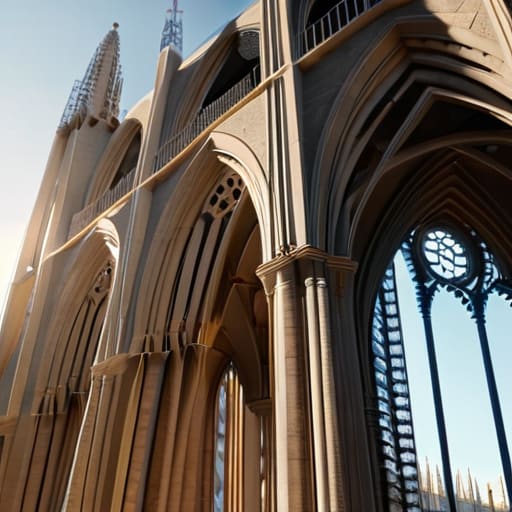
I learned this the hard way when I tried to replicate a cathedral-style base I’d seen in a concept render. I went in with nothing but a vague idea of the proportions, thinking I could just “feel” the scale as I placed blocks. By the time I reached the second floor, the entire structure looked like a bloated, amateurish mess. I had completely failed at visualizing build dimensions because I hadn’t accounted for how block density changes as you move upward.
That’s when I stopped eyeballing it and started using mathematical scale conversion. Instead of guessing, I sat down with a notepad and mapped out the ratio of the original concept to my actual block footprint. By calculating the exact scale ratios before I even placed the first foundation block, I ensured that every arch and window maintained its intended weight. It took more time upfront, but it saved me from the inevitable, soul-crushing task of tearing down a half-finished mountain of stone just because the math was wrong.
Visualizing Build Dimensions Before You Waste Material
I’ve spent too many hours staring at a half-finished cathedral wall, realizing the proportions are just fundamentally wrong. Most people think they can just eyeball it, but that’s how you end up with a base that looks like a crushed cardboard box. Before I place a single block of stone, I use a basic coordinate-based grid system. I’m not talking about fancy external software; I’m talking about visualizing build dimensions using temporary dirt pillars or wool outlines directly in-game. This lets me see the actual silhouette against the terrain, which is the only way to catch a scaling error before it becomes a massive resource sink.
If you’re trying to translate a small concept into a massive megastructure, you have to prioritize blueprint dimension accuracy. I usually set up a small-scale version of the build—maybe a 1:5 ratio—just to test the silhouette. Once I’ve confirmed the shape works, I use that as my reference for the actual build. It’s not about being an artist; it’s about ensuring your model building proportions don’t fall apart once you hit the 100-block height mark.
My rules for scaling without losing your mind
- Stop eyeballing it. I used to think I could just “feel” the proportions, but I ended up with a cathedral that looked like a glorified dirt hut because my base measurements were off by two blocks. Use a grid or a calculator every single time.
- Factor in the block thickness early. If you scale a blueprint up by 2x but forget that a wall is one block thick instead of a fractional measurement, your interior rooms will end up being uselessly small or massive voids.
- Test your scale on a micro-build first. I never commit to a massive mega-base without building a 1:1 ratio “module” of a single wall or corner section. If the texture density looks wrong on a small scale, it’s going to look like garbage when it’s 200 blocks high.
- Account for chunk borders in your math. There is nothing worse than scaling a build perfectly on paper only to realize your centerpiece is split across a chunk loading boundary, which messes up your lighting and your sanity.
- Don’t scale your detail level linearly. If you double the size of a house, you don’t necessarily double the number of windows. If you do, the build looks cluttered and “noisy.” You have to scale the structural footprint and then decide how much detail actually needs to grow with it.
The bottom line
Stop eyeballing dimensions; if you haven’t run the math on your scale ratio first, you’re just planning to waste hours of grinding.
Use a physical or digital layout to check your footprint before you place a single block, because fixing a misplaced foundation is a nightmare.
Scale your blueprints, not your expectations—if the math doesn’t work on the current version’s grid, the build won’t either.
Stop winging it and start measuring
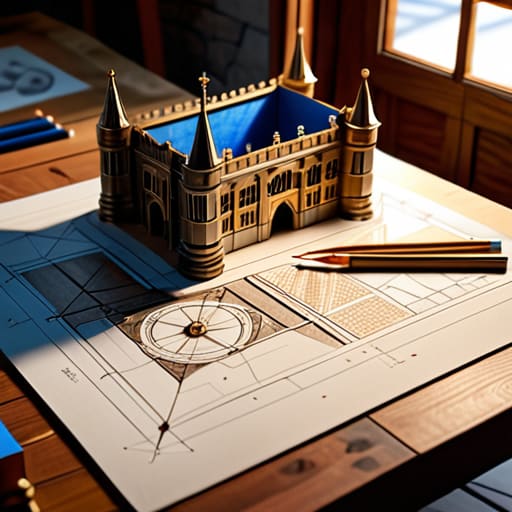
At the end of the day, scaling isn’t about being a math genius; it’s about not staring at a half-finished, bloated mess of cobblestone three hours into a build. I’ve spent way too many nights trying to “fix” a structure that was fundamentally too small for its own footprint because I didn’t bother with the math upfront. By using mathematical scale conversion and actually visualizing your dimensions in the world before you commit your first stack of blocks, you stop the cycle of constant, frustrating revisions. If you want a build that actually looks like the concept you have in your head, you have to treat the planning phase as part of the build itself. Don’t let a lack of preparation turn your project into a resource-draining nightmare.
I know it feels faster to just start placing blocks and see where the walls land, but that’s how you end up with a server-lagging monstrosity that lacks any sense of proportion. Taking twenty minutes to map out your scale on paper or in a test area might feel like a chore, but it is the only way to ensure your final product actually holds up under scrutiny. Stop guessing and start calculating. Once you master the art of scaling, you’ll realize that the most impressive builds aren’t the ones built the fastest, but the ones where every single block was placed with intent. Go build something that actually fits the scale you intended.
Frequently Asked Questions
How do I handle scaling when the new dimensions don't divide evenly into the original block count?
This is where most people panic and just eyeball it, which is how you end up with a lopsided base. If your math doesn’t divide evenly, you have two real options: round to the nearest whole block and accept a slight deviation in proportions, or use a “buffer” layer. I usually add a one-block thick trim or a structural pillar to absorb the mathematical gap. It hides the error and keeps the silhouette clean.
Is there a specific way to translate a scale from a 1.12 build to the current version without losing the original silhouette?
Don’t just eyeball it. The block density changed too much between 1.12 and now, especially with how lighting and terrain generate. I use a grid-mapping method: I take a screenshot of the 1.12 build, bring it into a basic editor, and overlay a coordinate plane. I map the major silhouette points—the peaks, the corners, the structural anchors—and translate those specific coordinates to the current version’s chunk math. If you don’t anchor the silhouette first, the whole thing will look bloated.
At what point does scaling a build too large actually start causing chunk loading or lag issues on a server?
I’ve seen it happen on my own server: you scale a build up because it looks better, but suddenly the TPS drops. Once your build footprint forces the server to keep more chunks loaded than the allocated RAM can handle, you’re dead. If your structure spans more than a few loaded chunks or forces players to constantly trigger new chunk loads just to walk around it, you’re going to see lag. Scale for the hardware, not just the eyes.
