I’ve spent enough time scrolling through build forums to know that most “aesthetic” advice is complete garbage. You see these massive, multi-page tutorials claiming you need complex color theory or specialized shaders to make a base look decent, but it’s mostly just noise. Most of these creators are just copying what worked in a different version or using a texture pack to hide their poor block choices. I’m tired of seeing people struggle with choosing a palette that works only to realize their build looks like a cluttered mess because they followed a guide meant for a version of the game that hasn’t existed for three years.
I’m not going to give you any of that theoretical fluff. I only write about what I have actually sat in front of and built myself on the current version. This isn’t a lecture on art; it’s a breakdown of the specific block combinations I’ve used to stabilize my own builds. I’ll show you how to stop guessing and start actually testing your combinations in-game so you don’t waste hours on a build that looks like a mistake.
Table of Contents
Applying Color Theory Principles to My Own Build
I don’t care much for the abstract math behind color theory principles; I care about what happens when I actually place the blocks. When I’m working on a build, I don’t just grab random materials because they look “cool” in the inventory screen. I focus on visual hierarchy through color to make sure the player’s eye goes exactly where it’s supposed to—usually toward the entrance or a specific focal point—rather than getting lost in a mess of gray stone.
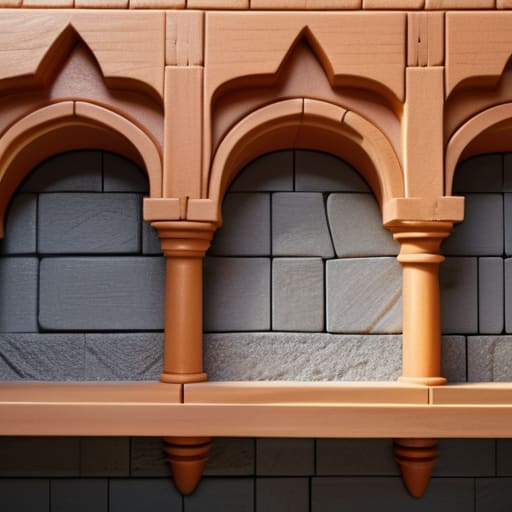
I tend to lean heavily on complementary color schemes when I need a build to pop, but I keep it grounded. If I’m using a dark deepslate base, I’ll pull in a specific wood or copper tone to provide that necessary contrast. I’ve spent way too many hours staring at a wall of blocks only to realize the whole thing looks like mud because I ignored how the light hits different textures. I only use combinations that I’ve physically tested in-game to ensure the colors don’t wash each other out under different sky conditions.
Achieving Optimal Color Harmony Without the Fluff
Most guides talk about color theory like it’s some mystical art form, but in a block-based environment, it’s just math and visibility. I don’t care about what “looks pretty” in a render; I care about what doesn’t make my eyes bleed when I’m actually playing. To get there, I rely on complementary color schemes that I’ve actually tested in-game. If I’m using a deep slate foundation, I’m not just picking a random wood type; I’m looking for a specific hue that provides enough pop to define the silhouette without breaking the build’s cohesion.
The real trick to achieving optimal color harmony is knowing when to stop adding new tones. I’ve seen too many builds try to use every single block type in the game, which just results in visual noise. I focus on establishing a clear visual hierarchy through color by using my primary palette for the bulk of the structure and reserving high-contrast accents for specific points of interest. If the colors don’t work together under standard lighting conditions without a texture pack, I scrap the whole thing and start over.
Five Rules I Use to Stop My Palettes from Looking Like Trash
- Stop adding more colors just because you think it looks “detailed.” I’ve sat in front of builds where I thought a random pop of terracotta would help, but it just made the whole thing look cluttered. Pick three primary blocks and stick to them.
- Check your lighting before you commit. I’ve seen plenty of palettes that look great in midday sun but turn into a muddy, unrecognizable mess once the sun goes down or you place a single torch. If it doesn’t work in a cave, it’s a bad palette.
- Use the “grayscale test” to check your values. If you take away the color and everything just turns into the same shade of grey, your build has zero depth. You need contrast in brightness, not just different hues.
- Avoid the “texture pack trap.” I don’t use them, and neither should you if you want to actually learn how blocks interact. If a palette only looks good because of a high-res resource pack, it’s a failure of design, not a success of aesthetics.
- Test your palette in a real build, not a creative test plot. A block might look fine sitting next to a piece of cobblestone, but once you actually try to build a wall with it, you realize the texture is way too busy or the color is too loud. If it hasn’t survived a build session, it isn’t part of my palette.
The Bottom Line
Stop guessing with random blocks; pick a primary palette and stick to it until the build actually looks finished.
Color theory is just a tool, not a rulebook, but I’ve found that sticking to a tight range prevents the “messy” look most players struggle with.
If the colors don’t work in a test build on the current version, they aren’t going to work in your main project—don’t waste time troubleshooting a palette that was doomed from the start.
The Bottom Line
At the end of the day, choosing a palette isn’t about following some abstract rulebook or memorizing every single color wheel variation you find on Pinterest. It comes down to what I’ve learned from actually placing blocks: you need a foundation of contrast, a sense of harmony, and the discipline to stop adding new colors once the build starts to breathe. I’ve wasted hours on builds that looked like a chaotic mess because I thought “more variety” meant “better design.” It doesn’t. Stick to the principles of saturation and value that I’ve outlined here, and you’ll avoid the most common mistakes that turn a professional-looking structure into a cluttered eyesore.
Stop overthinking the theory and just start building. The best way to master color is to get your hands dirty in the actual game engine and see how those pixels interact under different lighting conditions. You won’t find a perfect formula in a textbook, but you will find it through iterative testing and trial by error. If a palette feels off, scrap it and try again. I don’t care what the “experts” say; if it looks right in your world and holds up under your own scrutiny, then it works. Now, go test it.
Frequently Asked Questions
How do I keep the palette from looking washed out when I switch from day to night cycles?
The lighting engine changes everything. If you rely on high-saturation blocks like concrete, they look like gray sludge once the sun goes down. I’ve learned to build using blocks with high internal contrast—think deepslate variants mixed with textured stone. I always test my palette by sitting in the build for a full twenty-minute cycle. If the colors lose their identity at night, the palette is too shallow. Use depth, not just hue.
What do I do when I realize my chosen blocks don't actually texture well together in the current version?
When the blocks clash, I stop trying to force it. I’ve spent hours staring at builds only to realize the texture noise is fighting itself. If the palette fails, I strip it back to the basics. I find a neutral “buffer” block—usually something like Stone or Deepslate—to separate the high-contrast textures. I don’t guess; I swap one block at a time until the visual noise settles. If it looks messy, it’s wrong.
How much variety should I actually add before the build starts looking like a mess of random blocks?
I usually stick to three main blocks and maybe one accent. If you start grabbing every block that looks “kind of similar,” you’ve already lost. I’ve seen builds where people try to blend cobblestone, stone bricks, and andesite all at once; it just looks like noise. I only add a fourth or fifth block if it serves a specific structural purpose, like a trim or a window frame. If it doesn’t have a job, leave it out.
