
I’m sick of seeing “pro” server guides that suggest you need a massive dedicated machine or a complex suite of third-party plugins just to manage your materials. Most of the tutorials I find online are either outdated or unnecessarily bloated, making the process of how to set up a resource world look like a nightmare for anyone who isn’t a DevOps engineer. I’ve watched players struggle with lag spikes and broken chunk loading just because they followed some half-baked advice from a version that hasn’t been relevant in three years.
I’m not going to waste your time with theoretical setups or things I haven’t actually tested on my own hardware. I’ve built this exact setup on the current build to ensure my players can grab their building supplies without crashing the main survival instance. I’m going to show you the exact configuration I use to keep things lightweight and stable. If it hasn’t worked for me in a live environment, I’m not writing about it.
Table of Contents
Mastering Multiverse Resource World Setup and Configuration

I don’t bother with manual world creation once I have the Multiverse framework running. For my current setup, I use the `/mv create` command to spin up a separate dimension specifically for mining, ensuring it stays completely isolated from the main survival map. This is the core of my multiverse resource world setup; you need that physical separation so players aren’t accidentally strip-mining your spawn chunks. Once the world is live, I immediately jump into the `bukkit.yml` and `spigot.yml` files to tweak the view distance. If you’re running a high-player count, you have to be aggressive here to maintain server performance resource worlds can otherwise tank if everyone is generating new chunks simultaneously.
After the world exists, the real work is preventing griefing. I don’t trust vanilla permissions for this. I layer in specific world protection plugins to lock down the borders and ensure players can’t break anything outside the designated mining zones. I also scripted a simple task to handle an automated resource world reset every Sunday at 4 AM. It’s much more efficient than me manually deleting folders and re-importing templates every time the terrain gets stripped bare.
Essential World Protection Plugins I Use Every Day
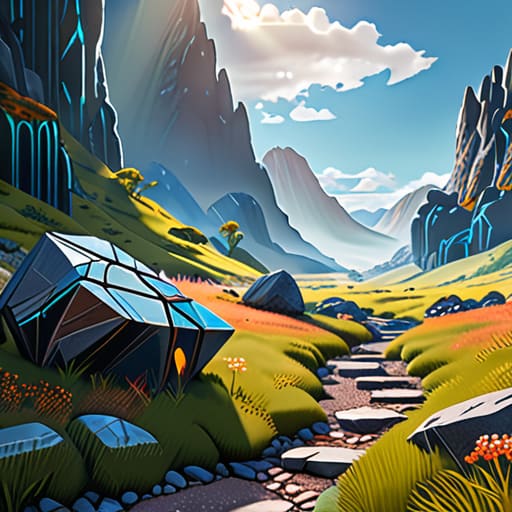
I don’t care how good your setup is; if you don’t have strict boundaries, your mining world will be a wasteland within forty-eight hours. I rely heavily on WorldGuard for my world protection plugins because it’s the only way I can be certain players aren’t griefing the terrain or breaking specific blocks that might mess up the world generation. I set up specific flags to disable mob spawning and TNT in my resource worlds immediately. If I can’t control exactly what happens to the landscape, the whole concept of a dedicated mining area falls apart.
Performance is my other massive headache when managing mining worlds. When you have dozens of players digging simultaneously, the chunk loading can absolutely tank your TPS. I use a combination of ClearLag and specific chunk-loading limits to keep things stable. I’ve found that if I don’t aggressively manage how many chunks are being generated or held in memory, the server starts stuttering, and that’s when my players start complaining. It’s not about being restrictive; it’s about making sure the server actually stays playable while everyone is stripping the earth bare.
Five Things I’ve Learned from Breaking My Own Resource Worlds
- Don’t just set the seed and walk away. I’ve learned that if you don’t manually set the world type to ‘flat’ or use a specific generator plugin, your players will end up wandering through useless hills instead of finding the specific blocks they need for builds.
- Lock down the spawn point immediately. There is nothing worse than a player accidentally setting their home in the middle of a resource world and getting stuck in a loop; I always use a dedicated spawn command to keep everyone centralized.
- Limit the world border from the start. I don’t leave it infinite because it’s a nightmare for server performance and player navigation; I set a tight border that covers only the necessary terrain to keep the chunk loading predictable.
- Disable mob spawning in the config files, not just via in-game commands. Relying on `/gamerule doMobSpawning false` isn’t enough for me—I go straight into the `bukkit.yml` or `spigot.yml` to ensure nothing spawns, period.
- Test your resource gathering rates yourself. Before I let anyone in, I spend a session actually mining or woodcutting in that specific world to make sure the terrain actually provides what the players are looking for without them having to travel ten thousand blocks.
My Core Requirements for a Functional Resource World
Don’t waste time with manual world creation; use Multiverse to spawn a dedicated world so your main survival seed stays untouched and clean.
Protection isn’t optional; you need to lock down the world with plugins immediately or your players will grief the very resources you’re trying to farm.
Test your setup on the actual version you’re running, because half the outdated tutorials online will break your server configuration.
Final Thoughts on the Build

Setting up a resource world isn’t just about running a single command and walking away; it’s about the stability of the environment you leave for your players. I’ve spent enough time watching servers lag because of poorly configured Multiverse worlds or unprotected chunks to know that the details matter. You need to ensure your world borders are tight, your protection plugins are actually covering the spawn points, and your resource generation is consistent. If you follow the specific plugin stack and configuration steps I’ve laid out here, you won’t be stuck dealing with corrupted world data or players griefing your entire economy. I’ve tested this exact workflow on my own setups, and it works because it focuses on minimizing server overhead while maximizing player utility.
At the end of the day, a well-maintained resource world is the backbone of a healthy survival community. It provides the stability that allows players to focus on the game rather than fighting against a broken environment. Don’t settle for the half-baked guides you find on most wikis that haven’t been updated since 2019. Build it properly, test it thoroughly, and own your configuration. Once you have this foundation locked in, you can stop worrying about the technical backend and actually get back to the part that matters: running a server that people actually want to play on.
Frequently Asked Questions
How do I stop players from taking items back to the main survival world?
You need to prevent item transfers, or your survival economy will collapse in a week. I use WorldGuard for this. I set up a specific flag on the resource world region that denies item pickup or drops, but the cleanest way is using a plugin like Multiverse-Inventories. I’ve configured it so players have a completely separate inventory for the resource world. If they try to bring a stack of diamonds back to survival, they simply don’t exist there.
Will running a separate resource world cause significant TPS drops on my server?
If you set it up right, no. I’ve run several large-scale survival servers, and a resource world is actually a massive TPS saver in the long run. Instead of players constantly chunk-loading new terrain in the main world to find specific blocks, they’re hitting a contained, static environment. As long as you aren’t running massive redstone farms inside that specific world, the overhead is negligible. I’ve tested this on my own builds; it’s worth the extra folder.
Should I use a separate folder for the resource world or just a different name in Multiverse?
Use a different name in Multiverse. Don’t overcomplicate it by trying to manage separate folder structures manually; that’s just asking for file permission errors or accidental deletions when you’re moving backups. I run my resource world as a completely separate world instance within the same server directory. It keeps the file structure clean and lets Multiverse handle the heavy lifting. If you start splitting folders, you’re just creating more work for yourself during maintenance.
