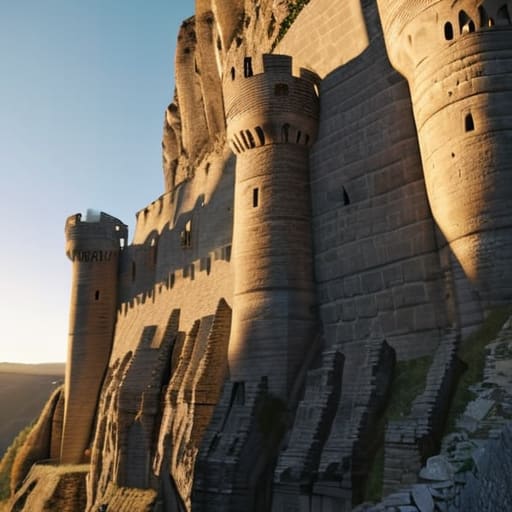
I’m sick of seeing those “pro builder” tutorials that claim you need a hundred different block palettes and a PhD in geometry just to avoid making a giant stone box. Most of those guides are useless because they were recorded three updates ago, and the moment you try to replicate their “organic” shapes in the current version, the whole thing looks like a glitchy mess. I spent way too many hours on my old survival server watching players struggle with building a castle without it being a cube, only to end up with something that looked more like a poorly rendered apartment complex than a fortress.
I’m not going to waste your time with fluff or theoretical designs that don’t actually work in the live game. I’ve spent the last week breaking and rebuilding these exact layouts in the latest version to ensure every corner and protrusion actually makes sense. I’m going to show you the specific structural foundations I used to get rid of that flat, boring silhouette. If I haven’t manually placed the blocks myself in this version, I’m not telling you to use them.
Table of Contents
Why I Abandoned Standard Medieval Fortification Layouts
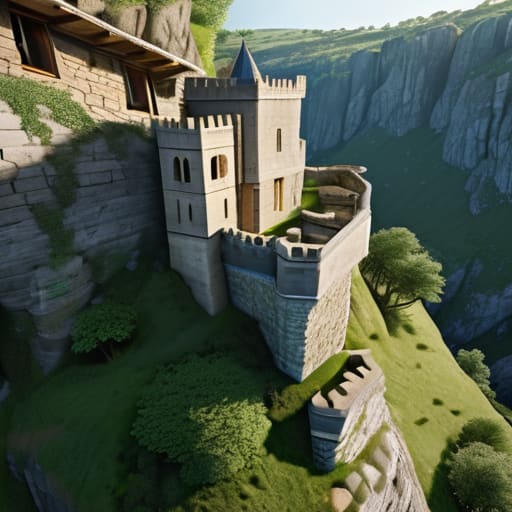
Most of the tutorials I see online push these rigid, symmetrical medieval fortification layouts that look more like a prison yard than a stronghold. If you follow those standard templates, you end up with a massive, hollow square that feels completely lifeless. I tried one of those “perfect” layouts on my latest build, and it looked terrible. It lacked any sense of scale, and the moment I tried to add detail, the whole thing just felt like a glorified box.
I realized that if I wanted something that actually looked lived-in, I had to ditch the symmetry entirely. I started experimenting with irregular castle footprints instead, letting the terrain dictate where the walls actually went. It’s a lot harder to manage the pathfinding and the sightlines when you aren’t working with a grid, but it’s the only way to achieve organic castle shapes that don’t look like they were copy-pasted from a wiki. I’d rather spend the extra time fighting with the terrain than settle for a design that looks like a default spawn point.
The Truth About Designing Organic Castle Shapes
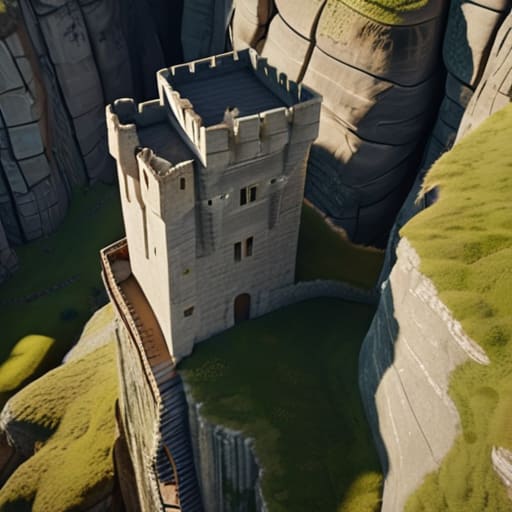
The problem with most tutorials is they treat a castle like a blueprint you just copy-paste. They tell you to place a tower, then a wall, then another tower, and suddenly you’ve just built a massive, hollow rectangle. I spent most of last week testing how different terrain heights affect irregular castle footprints, and the reality is that if you follow a standard grid, your build will look dead. To get actual organic castle shapes, you have to stop thinking in straight lines and start thinking about how the stone actually meets the dirt.
I found that the best way to break the symmetry is to let the landscape dictate the wall placement. Instead of forcing a perfect circle or a square, I let the cliffs and ravines determine where the curtain walls go. This forces you to deal with weird angles, which is a pain for resource management, but it’s the only way to make it look like a real structure that grew over time rather than something spawned in by a glitch. If you aren’t actively fighting the geometry of the chunk, you aren’t building an organic shape; you’re just making a larger box.
Five Things I Learned While Not Building a Giant Box
- Stop thinking in squares and start thinking in circles; I used to try and make round towers out of single blocks, but it always looked like a jagged mess, so now I use a specific pattern of stairs and slabs to actually get a curve that doesn’t look broken.
- Use the terrain as your blueprint instead of fighting it, because if I try to flatten a hill just to fit a square foundation, the whole build ends up looking like a floating platform rather than a real fortress.
- Break up your walls with depth, meaning I never just place a flat line of cobblestone; I always pull the support pillars out by one block so the wall actually has some shadow and doesn’t look like a 2D texture.
- Mix your palette based on wear and tear, not just aesthetics, so I’m layering cracked stone bricks and mossy variants at the base where the “moat” would be, rather than having a perfectly uniform color from top to bottom.
- Overlap your structures, because a castle isn’t just one big building, it’s a cluster of smaller, connected pieces like gatehouses, barracks, and watchtowers that overlap each other to create a complex silhouette.
The Bottom Line
Stop trying to follow symmetry; real fortifications follow the terrain, and your build should too.
Use depth—layers of slabs, stairs, and walls—to break up flat surfaces so your walls don’t look like a texture-less sheet of stone.
Forget the “perfect” blueprint; if a tower looks awkward on the current version, move it until the silhouette actually makes sense.
Final Thoughts on Breaking the Mold
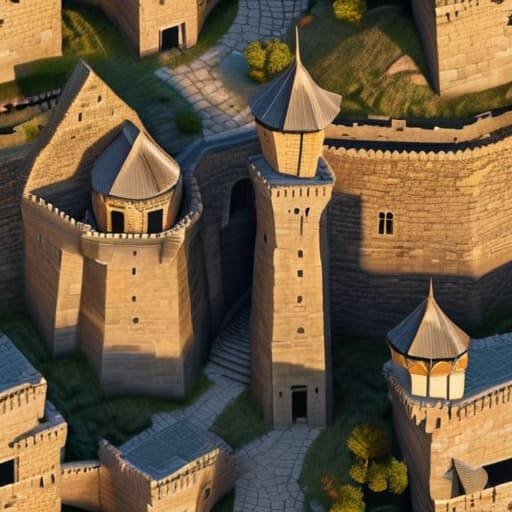
At the end of the day, getting rid of the cube isn’t about following a specific blueprint or some complex mathematical formula. It’s about realizing that the most interesting shapes come from breaking your own patterns. I’ve spent way too many hours staring at a flat wall of cobblestone only to realize I was just being lazy. By focusing on irregular outlines, varying tower heights, and using depth instead of just flat surfaces, you actually start to build something that looks like it belongs in the terrain rather than just sitting on top of it. It’s about moving away from the safety of the grid and actually testing your limits with every new wall you place.
If you find yourself getting frustrated because a circular tower looks more like a lumpy potato than a fortress, just step away for a minute. I’ve definitely been there, staring at a mess of stone slabs and wondering why nothing looks right. Building something unique takes more patience than just slapping down a square perimeter, but the result is worth the headache. Stop looking at the generic tutorials that tell you to build a perfect square and start trusting your own eyes. If it looks like a boring box, tear it down and try again. That’s the only way you’re ever going to make something that actually looks real.
Frequently Asked Questions
How do you actually manage the wall connections when the layout isn't a straight line?
I stopped trying to force 90-degree corners months ago. When the layout curves, I use a “staircase” method with different block depths to hide the transition. I’ll overlap a tower slightly into the wall line, then use stairs and slabs to bridge the gap. It’s not perfect, but it breaks the silhouette. If you try to make a single flat plane meet a curve, it looks like a glitch. Just layer the depth.
Does using different block palettes make the non-cubic shapes look better or just messy?
It depends on how you actually use them. If you’re just throwing random blocks together to hide mistakes, it looks like a mess. I’ve seen builds where the palette is so chaotic you can’t even see the silhouette of the wall. But if you use color to define depth—like using darker blocks in the recesses and lighter ones on the protrusions—it makes the non-cubic shape pop. Keep the palette tight, or it just looks noisy.
How much extra material do I actually need to budget for when I stop building simple squares?
If you’re still thinking in squares, you’re going to run out of stone halfway through the first tower. I ran the numbers on my last build, and once you start adding depth with stairs, slabs, and those irregular wall curves, your resource consumption spikes. Honestly, budget for about 30% to 40% more than a standard footprint suggests. It’s better to have a surplus of cobblestone sitting in a chest than to realize your perimeter is unfinished because you played it too safe.
