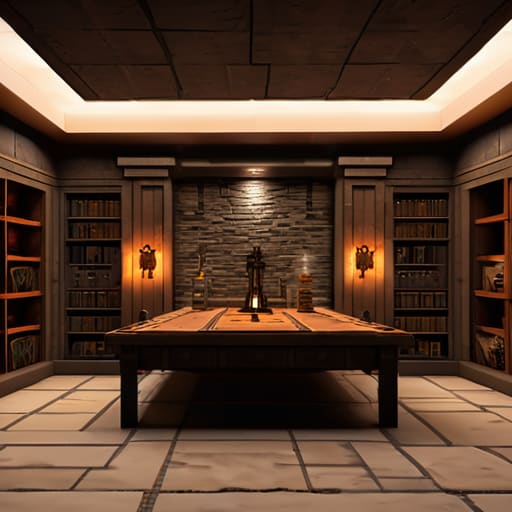
I spent three hours last night staring at a massive, pulsing wall of observers and repeaters in my 1.21 survival world, wondering why my entire base looked like a circus wiring project. Most tutorials online claim that you need massive, sprawling halls to hide your logic, but that’s a lie that just wastes your precious chunk space. The truth is, learning how to build a redstone room that looks good isn’t about hiding the components behind layers of cobblestone; it’s about integrating the machinery into the architecture so the redstone actually feels like part of the build.
I’m not going to give you some vague “aesthetic” advice or suggest you download a resource pack to make things look better. I’ve tested every layout I’m about to show you on the current version, ensuring that the wiring is as efficient as the design is clean. This guide is strictly about practical integration—I’ll show you exactly how I use slabs, stairs, and specific block placements to mask the “ugly” parts of a circuit without breaking the signal. No fluff, just the exact layouts that actually work.
Table of Contents
Guide Overview
Tools & Supplies
- Redstone Dust (for signal transmission)
- Lever/Button (for input mechanism)
- Redstone Repeaters (10-15 for signal strength)
- Sticky Pistons (4-8 for moving walls)
- Building Blocks (64+ for aesthetic casing)
- Redstone Torches (5-10 for power inversion)
Step-by-Step Instructions
- 1. Stop thinking about the redstone first and start with the floor plan. I’ve seen too many people throw down a bunch of dust and then realize they have no way to hide the wiring without making the room look like a giant, ugly box. I carved out a 15×15 area in my current 1.21 world, leaving a two-block buffer around the perimeter. If you don’t plan for the depth of the components, you’re going to end up with a mess of protruding pistons.
- 2. Dig your sub-floor at least three blocks deep. Most people think two blocks is enough, but once you start adding observers or double-stacking repeaters, you’ll realize you’re fighting for space. I dug mine down four blocks just to be safe. This gives me enough room to run my lines underneath the main floor without having to use slabs everywhere, which usually looks cheap anyway.
- 3. Lay down your main power lines using a “bus” system rather than a web. Instead of running individual lines from every lever to every component, I ran a central line of redstone dust through the middle of my sub-floor. This keeps the layout organized and predictable. It makes troubleshooting ten times easier when something inevitably breaks during a late-night build session.
- 4. Integrate your input devices—levers, buttons, or pressure plates—into the walls early. I used stone pressure plates tucked into a slight indentation in the floor to keep the look clean. If you’re using levers, don’t just stick them on a flat wall; recess them into the block so they look like part of the architecture rather than an afterthought.
- 5. This is where most people fail: hiding the “ugly” stuff. I use a mix of stairs and slabs to create “fake” wall sections that actually hide the observers and repeaters behind them. If you use a texture pack, you can hide a lot, but since I won’t touch those, I have to rely on smart block placement. I found that placing deepslate tiles in a staggered pattern helps mask the gaps where the redstone components peek through.
- 6. Test every single circuit individually before you seal the floor. There is nothing worse than finishing a build, placing the final decorative blocks, and then realizing a repeater was facing the wrong way. I test each line by placing a single torch at the end to confirm the signal reaches the target. It’s tedious work, but it saves you from having to tear the whole room apart later.
- 7. Finalize the aesthetic by adding lighting that doesn’t interfere with the mechanics. I used some hidden glowstone under carpets to keep the room bright without having torches scattered everywhere like a cave. If you’re using redstone lamps, make sure they are wired to the same logic as your main controls so the whole room feels like a cohesive machine rather than a collection of random parts.
Integrating Redstone Into Builds Without Ruining the Vibe

The biggest mistake I see people making is treating their redstone like a separate entity from their architecture. You can’t just slap a bunch of observers and dust on a wall and call it a room. When I was working on my last survival project, I realized that if you want to actually succeed at integrating redstone into builds, you have to treat the components as part of the structural skeleton. Use stairs, slabs, or even deepslate tiles to create “channels” in your walls. This allows you to hide the wiring behind a layer of decorative blocks so the machine doesn’t dictate the room’s layout.
If you’re moving away from simple lever switches and looking into more complex aesthetic redstone contraptions, focus on the interaction points. A button hidden behind a painting or a pressure plate tucked under a carpet feels much more natural than a giant, ugly lever sticking out of a wooden wall. I spent way too much time in 1.21 trying to perfect a flush piston door mechanism that didn’t leave those annoying gaps in the floor, and the lesson was simple: plan your block thickness before you even touch the redstone.
Mastering the Flush Piston Door Mechanism for Aesthetic Redstone Contraptio
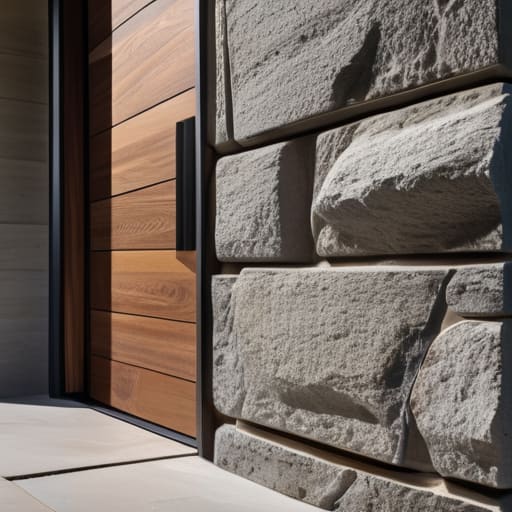
The biggest issue I see with most minecraft hidden door designs is that they look like a technical glitch rather than a part of the architecture. If you’re using a standard 2×2 door, you’re going to have those ugly piston heads sticking out of your wall unless you actually take the time to frame them. I spent most of yesterday testing different layouts in 1.21 to ensure the flush piston door mechanism doesn’t leave a single block gap when the circuit is powered. The trick isn’t just the wiring; it’s about how you use slabs or stairs to mask the movement of the blocks.
When you’re working on aesthetic redstone contraptions, you have to account for the block update delay. If your timing is off by even a tick, the door will stutter, which immediately ruins the “seamless” look you’re going for. I’ve found that using observers to trigger the final block placement is much more reliable than relying on long repeater chains. It keeps the footprint small, meaning you don’t have to hollow out half your room just to hide a massive, ugly redstone mess behind a single wall.
Five things I learned the hard way so you don't have to
- Stop using torches for everything. I used to think they were the easiest way to hide light levels, but they look tacky in a clean build. I’ve switched to placing glowstone or sea lanterns under carpets or moss blocks; it keeps the room lit without looking like a cave.
- Hide your wiring behind “functional” blocks. If you have a line of redstone dust running across the floor, it’s going to look like a mess. I always build a 1-block deep trench or use stair blocks to create a recessed channel that looks like part of the architecture rather than an afterthought.
- Use observers instead of long repeater chains. Long lines of repeaters are a nightmare for aesthetics because they take up so much horizontal space. I’ve found that using observer-based pulse extenders lets me keep the mechanism compact and tucked away inside the walls.
- Don’t ignore the sound profile. Nothing kills the vibe of a high-end redstone room like the constant, repetitive “thwack” of pistons. I’ve started using wool blocks to dampen the noise of the machinery, which makes the whole room feel more integrated and less like a factory.
- Match your block palette to the mechanism. If you’re building a heavy, industrial-looking door, use deepslate or basalt. If it’s a hidden entrance in a library, use wood and bookshelves. I’ve spent way too much time fixing builds where the redstone looked “too modern” for the surrounding walls.
The Bottom Line
Stop trying to hide redstone behind random blocks; if you aren’t using a dedicated sub-floor or a hollowed-out wall, your wiring is going to eventually ruin the build’s silhouette.
Always test your piston timings in the actual version you’re playing, because what worked in 1.12 is going to break your aesthetic if you don’t account for the current update’s movement speeds.
If a mechanism looks like a mess of dust and torches, it is a mess—strip the components back to the bare essentials until the redstone is functional but invisible to the eye.
Final Thoughts on the Build

At the end of the day, making a redstone room look decent isn’t about finding some magic block; it’s about the discipline of hiding your mess. I’ve spent way too many hours staring at a wall of unorganized repeaters and dust, only to realize that the entire aesthetic failed because I was too lazy to build a simple floor layer. If you focus on concealing your wiring beneath the floor or behind structural pillars and prioritize those flush piston doors we talked about, you stop building a machine and start building a room. It’s the difference between a chaotic server spawn and a base that actually feels intentional.
Don’t get discouraged if your first few attempts look like a tangled web of redstone dust and misplaced torches. I still have several old survival bases where the wiring is a total disaster because I rushed the build, and frankly, I hate looking at them. The goal is to reach a point where the mechanics are completely invisible to the player. Once you master the art of the hidden component, you aren’t just playing a game anymore; you’re actually engineering a space. Get back to your world, test your layouts, and stop letting your redstone ruin your builds.
Frequently Asked Questions
How do I hide the wiring for a piston door without having to dig up my entire floor design?
You don’t have to gut the whole floor if you stop trying to run everything through the sub-floor. I usually switch to verticality. Use the walls—even if they’re thick, you can hide observers and repeaters behind stair blocks or trapdoors. If you’re stuck with a specific floor pattern, I’ve found that running your lines through a 1-block deep “utility trench” tucked just under the edge of the door frame works better than trying to weave through the center.
Is there a way to prevent redstone components from looking too bulky when I'm working with tight wall spaces?
The easiest way is to stop using full blocks for your wiring. I’ve spent way too much time digging out walls just to fit a repeater, so I’ve switched to using observers and target blocks whenever possible. If you’re stuck with a tight 1-block gap, try running your signal through the floor or ceiling instead of the wall. It’s more work to layout, but it keeps the wall profile clean.
What's the best way to sync multiple pistons so they don't look jittery or laggy when the mechanism triggers?
The jitter usually comes from signal delay or using too many repeaters in a row, which creates that staggered, “laggy” look. I tested this in 1.21: the cleanest way is to use a single-tick pulse generator or a comparator-based clock to ensure every piston gets the signal at the exact same moment. If you’re running a long line, use a repeater chain but keep the delays identical. Avoid random repeater placements; consistency is everything for a smooth motion.
