
I’ve lost count of how many “expert” tutorials I’ve scrolled past that suggest you need complex mods or massive redstone calculators just to figure out how to handle a chunk border. It’s honestly exhausting. Most of these guides are written by people who haven’t actually sat in a survival world for more than a week, or worse, they’re teaching methods for versions that haven’t been relevant since 2016. I spent three nights last week trying to align a massive storage facility with the grid, only to realize I’d ignored a single misaligned block that was going to completely ruin my light updates and mob spawning.
I’m not here to give you a theoretical lecture or suggest some bloated resource pack to “visualize” the lines. I’m writing this because I’ve actually done the math and placed the blocks in the current build. I’m going to show you the exact, manual way I manage my builds so they stay efficient and don’t break the engine. If I haven’t tested it myself on the current version, I’m not telling you to do it. This is just the straightforward reality of working with the grid.
Table of Contents
Fixing World Generation Artifacts I Found in My Base
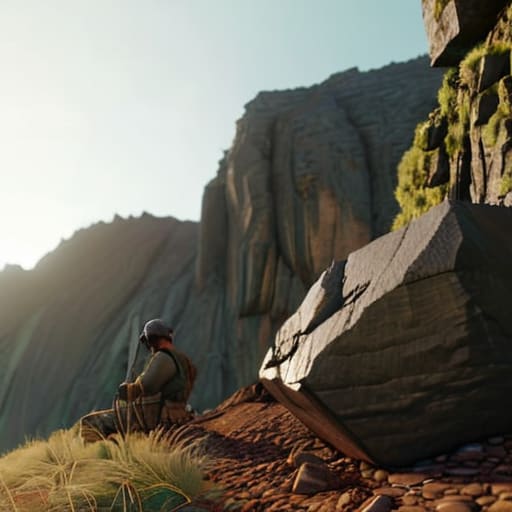
When I was laying out the foundation for my current mountain outpost, I ran straight into a wall of ugly world generation artifacts. Because the terrain engine tried to stitch two different biome heightmaps together right through my main storage room, I ended up with a literal sheer cliff dropping ten blocks straight into my floor. You can’t just ignore these; if you do, the whole base looks like a glitchy mess. I spent an entire afternoon manually carving out the jagged edges to force a more natural transition.
To fix this, I stopped trying to fight the engine and started using basic terrain blending techniques. Instead of leaving those sharp, unnatural steps where the chunk edges met, I used a mix of coarse dirt, gravel, and stone to create a gradual slope. I also had to be careful with how I placed my structural blocks; if you build too close to those seam lines without adjusting the surrounding ground, you’ll see weird lighting gaps. I basically had to rebuild the entire perimeter of the crater just to make the transition look intentional rather than broken.
Smoothing Chunk Boundaries Without Breaking the Aesthetic

Once you’ve identified the mess, the real work starts. You can’t just slap a wall of cobblestone over a seam and call it a day; that’s how you end up with a base that looks like a patchwork quilt. I’ve found that the most effective way to manage this is through manual terrain blending techniques. Instead of trying to fight the natural heightmap, I integrate the seam into a feature. If the border creates a weird, jagged cliff, I don’t try to flatten it. I turn it into a deliberate rock formation or a small, cascading waterfall. By adding extra layers of stone, gravel, and mossy cobblestone, you can mask the transition so effectively that the original map generation errors become invisible to the naked eye.
The goal isn’t to erase the border, but to make it look intentional. I usually spend a few sessions just focused on smoothing chunk boundaries by layering different block types to mimic natural erosion. If you’re dealing with a sudden drop in elevation, use stairs and slabs to create a gradual slope rather than a sharp edge. It takes time, and it’s tedious, but it’s the only way to ensure the landscape looks like it belongs there.
My Rules for Not Letting Chunk Borders Ruin a Build
- Stop trying to fight the terrain with straight lines. If a chunk border forces a weird cliff or a sudden gap, I stop building the structure and start building a feature—like a ravine or a custom waterfall—to hide the fact that the world gen just cut off mid-slope.
- Use non-standard block palettes to mask the seam. I’ve found that if I blend the edge of one chunk into the next using a gradient of similar textures (like stone to andesite to gravel), the eye doesn’t catch that abrupt change in the generation seed.
- Avoid placing large, flat builds across the border. I never attempt a massive floor or a long wall that spans a chunk seam unless I’ve already accounted for the height variance. It’s a nightmare to fix once you realize the floor is actually two different levels.
- Use lighting to your advantage. If there’s a weird gap or a jagged edge caused by the border, I place lanterns or hidden light sources to draw the eye toward the detail rather than the seam. It’s a cheap way to distract from bad generation.
- Never trust the “natural” look of a border. Every time I’ve left a chunk boundary untouched, it looks like a mistake. If I’m building in a new area, I spend the first hour just terraforming the borders so they actually look like they belong to the same landscape.
The Bottom Line on Chunk Borders
Stop trying to hide the seam with a single block; if the terrain doesn’t line up, you have to use a transitional structure like a retaining wall or a custom slope to actually mask the jump.
Never attempt to “fix” a bad chunk seam by deleting the chunk or using external editors unless you want to risk a corrupt save file—work with the geometry that’s actually there.
Use the F3+G debug view religiously during the planning phase, because if you don’t see where the border is before you start building, you’re just setting yourself up for a headache later.
The Bottom Line
At the end of the day, dealing with chunk borders isn’t about finding a magic command to rewrite the world seed; it’s about practical, manual intervention. I’ve learned that whether you are manually replacing misaligned terrain blocks or using structural shifts to hide those awkward generation seams, the goal is consistency. You have to accept that the engine is going to throw errors at your landscape occasionally, and you either work with the geometry or you let the mess ruin your build. I’ve spent way too many hours testing different block-replacement methods to realize that patience is your only real tool when the terrain refuses to play nice with your foundation.
Building something substantial in this game means dealing with its inherent flaws. Don’t let a stray wall of stone or a weirdly placed ravine stop your progress or make you abandon a project. If you approach these technical hiccups as design challenges rather than bugs, you’ll end up with a base that looks intentional rather than accidental. I don’t care how much time it takes to smooth out a single border; once it’s done, it’s done right. Stop looking for a shortcut and just start building through the mess.
Frequently Asked Questions
Does using a specific tool or mod actually fix the generation errors, or am I just masking them?
Look, if you’re using a tool like WorldEdit to just slap a wall over a generation error, you aren’t fixing anything—you’re just masking it. You’re essentially putting a band-aid on a broken engine. I’ve tried that approach, and it always falls apart the moment you try to expand the build. To actually fix it, you need to manually re-terraform the specific chunks or use a tool to re-generate the terrain data itself. Anything else is just a temporary visual lie.
If I decide to re-render the area, how do I make sure I don't lose the structures I've already built?
Don’t just hit the reset button. If you re-render without a plan, your builds are gone. I always use Litematica to create a blueprint of my structures first. It’s the only way I can be certain I’m not losing a complex build to a rogue worldgen update. Once the new chunks are generated, I just follow the schematic. It’s tedious, but it’s the only way to guarantee your base actually survives the transition.
Is it worth the effort to fix these borders in a survival world, or should I just build around the mess?
It depends on your end goal. If you’re just playing for a few weeks, don’t bother; just build a wall or a hill to hide the seam. But if you’re planning a long-term base, you’ll regret ignoring it. Those artifacts eventually mess with your lighting and your sense of scale. I always fix them early. It’s a pain now, but it saves you from having to tear down half your build later.
